



Swift Survivors
Devlog no.4 - The three ghosts
Hello everyone! It is this time of year, where I come back with yet another annual set of updates and excuses, regarding the development of the Swift Survivors game.
Since we are in a weird period, between the culminating days of both the spooky month, and the jolly month, I’ve decided to keep this devlog in a ghost aesthetics.
That being said – if everything goes correctly – for the next ~4 months, all of you will be haunted by the three ghosts:
- Ghost of the past – which is this post; I’ll do the routine updates on what has been worked on, and why I – once again – have been so inactive recently
- Ghost of the present – a post, that will appear somewhere before Christmas. Aside from devlog, there will be a present for all of you, which I’ll spoil at the end of this log
- Ghost of the future – a post, preceding the publishing of the update 1.4! Yeah, the numerology of the upcoming update has been downgraded once again… sorry!
This is a Charles Dickens reference by the way. Anyways, the exact details will be provided in each posts once published.
That being said, it is time for…
The ghost of the past!
Before we get into the content, let me just get briefly on the matter of yet another long absence. Fortunately, it was mainly caused by me working on other game projects. This time however, those weren’t individual projects that went nowhere – but rather – ones that you can/will be able to play in the near future!
I can’t tell you about one of them, since that’s a secret project that I’ve been working for someone else, as a form of internship.
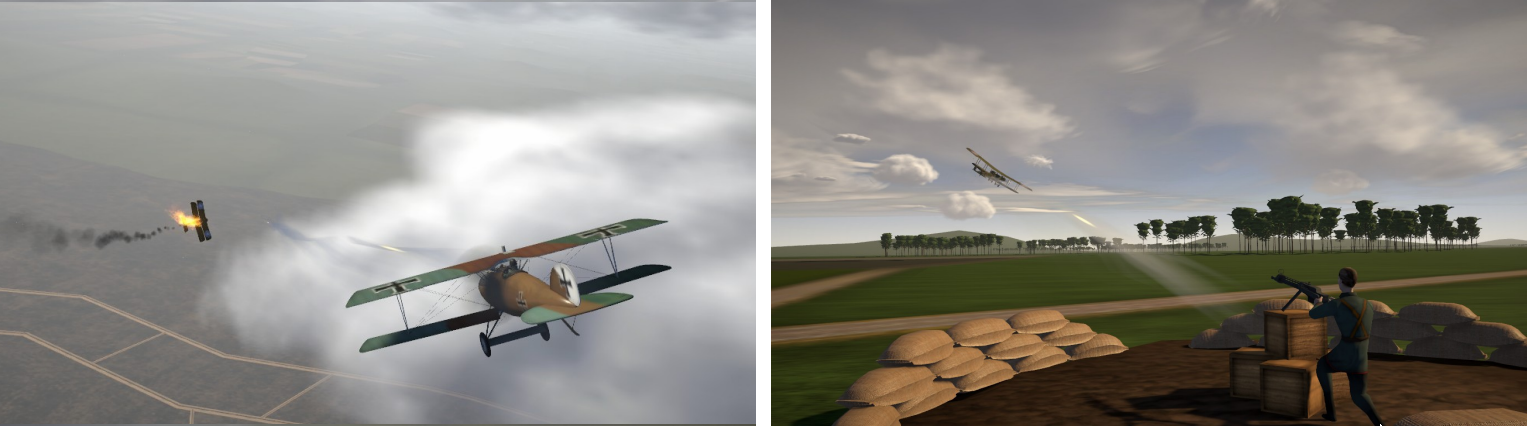
The other one, was a VR Musket Game, that I’ve made for my portfolio while looking for internship. A year after it’s completion, it has been compiled, and now can be played here Musket Game VR. Since it’s a VR game, in case some of you can’t play it, here’s a video showcasing it:
And the last, but certainly not least, was the practical component of my bachelor thesis. Unfortunately, due to certain regulations of my alma mater, the university has rights to editio princeps for the first six months after the defense of thesis. In regular English: uni has the right to publish my game first until March. They won’t do it – still – I have to wait until then before releasing it. But I think, they won’t be mad, if I leave a small snippet here from the public presentation of the project:
Now that the formalities have been met, let’s get to the fun stuff, shall we?
1. Chests
I think one of many highlights of this update, and certainly the most important one in regards to core mechanics, are chests!
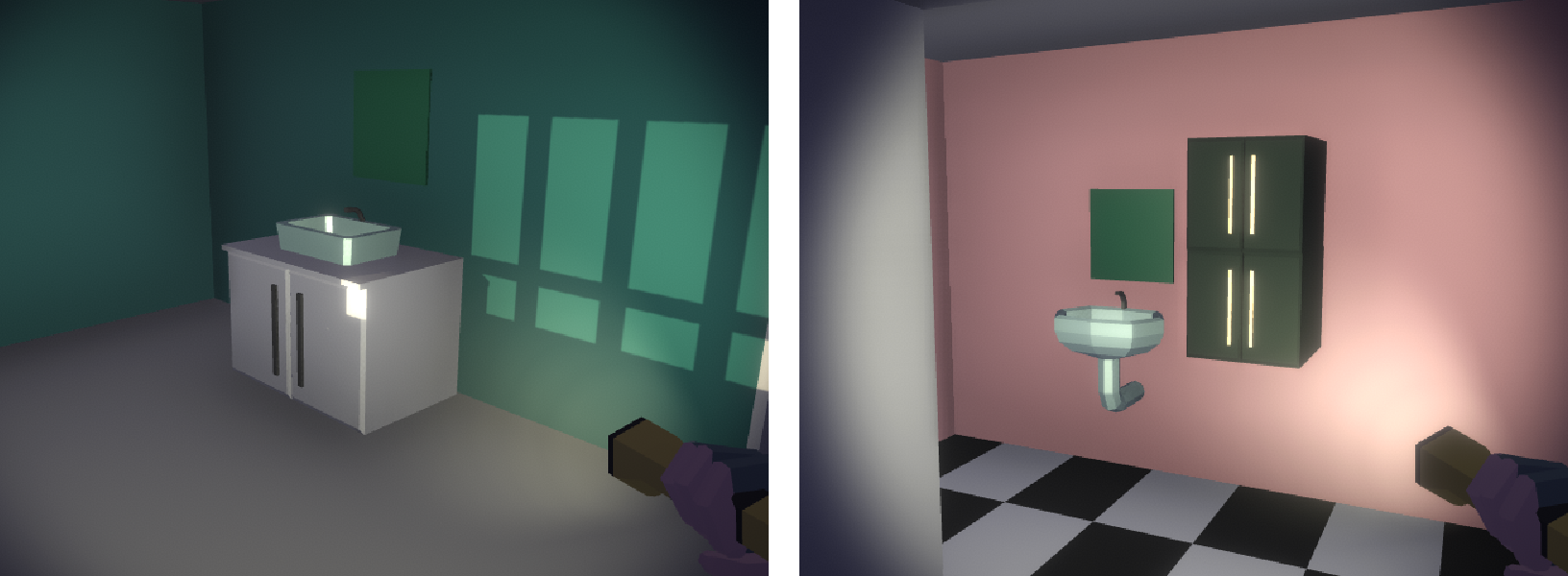
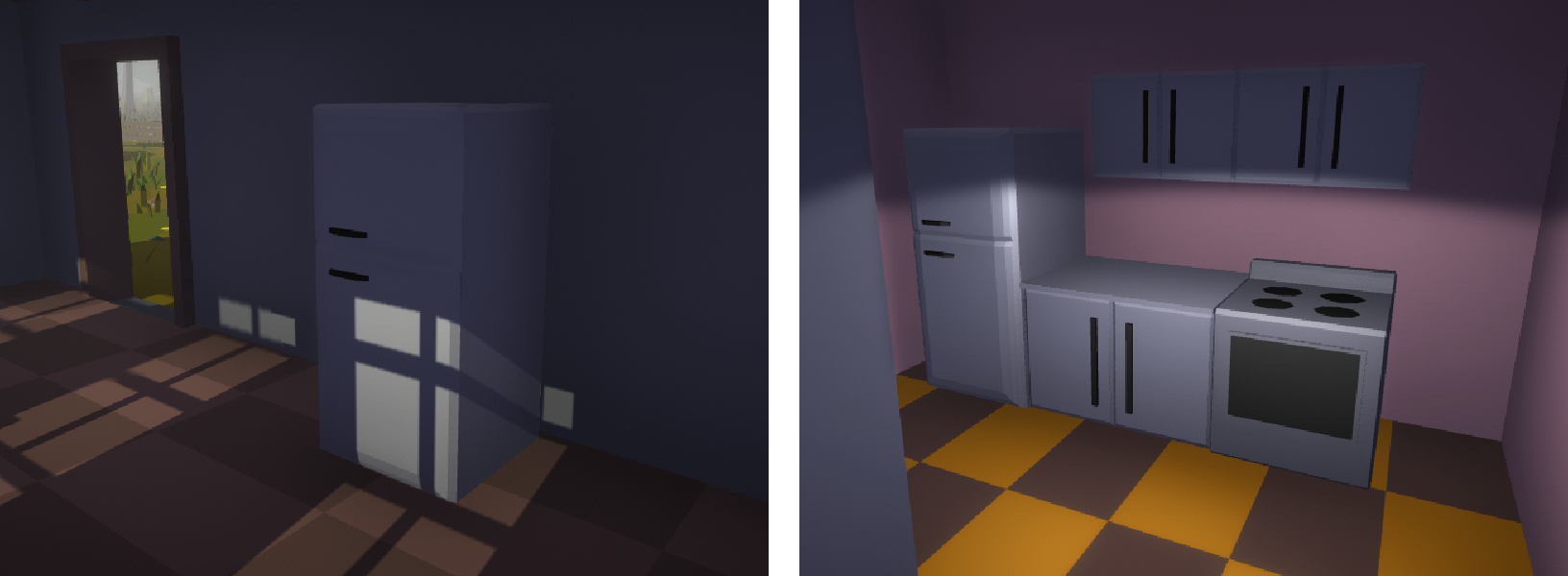
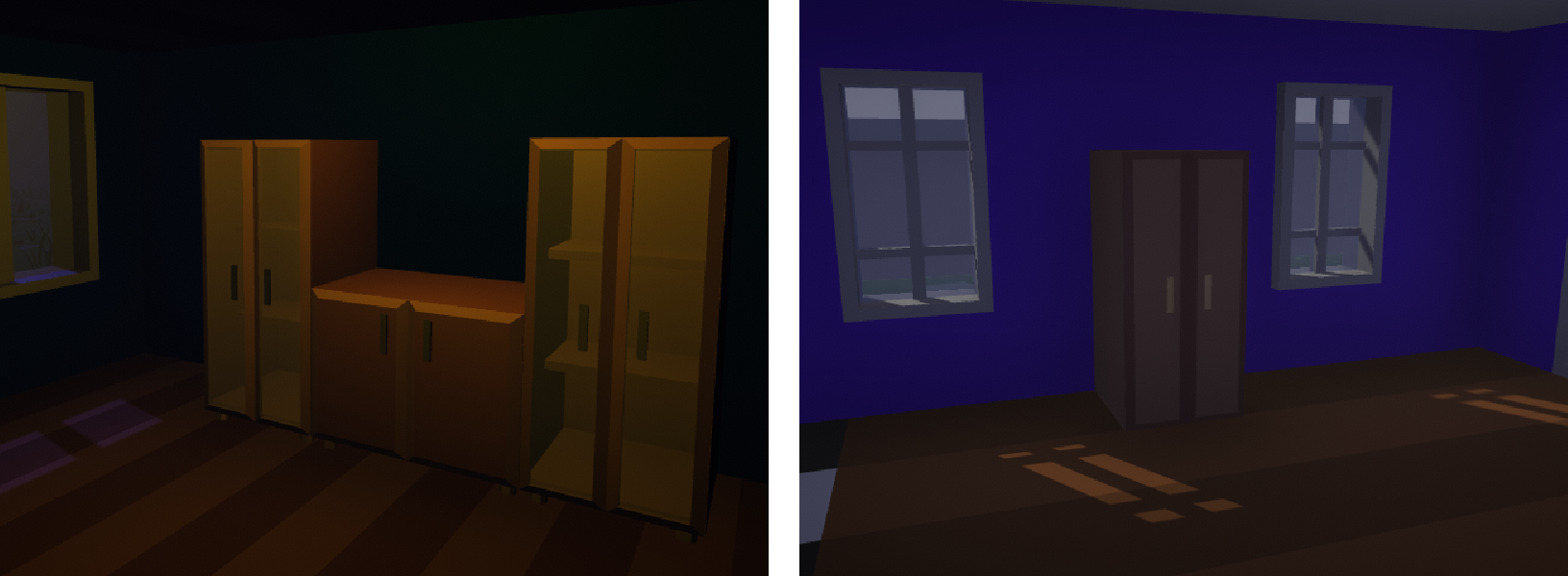
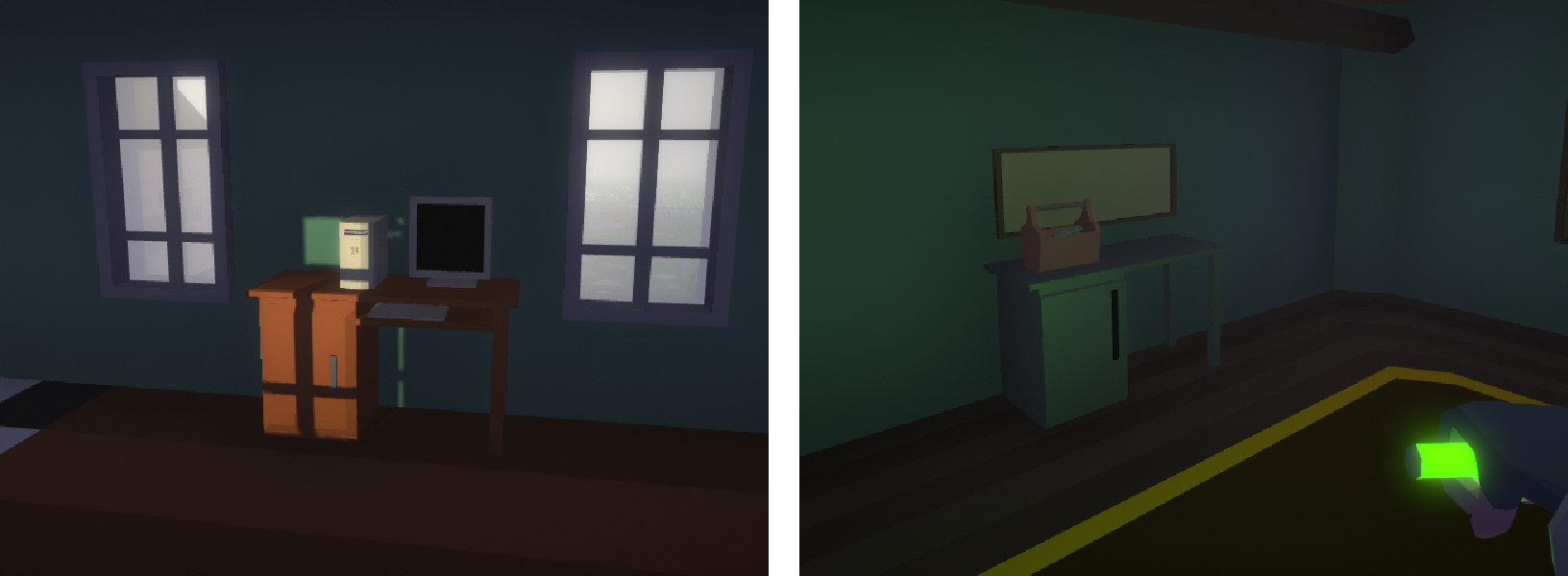
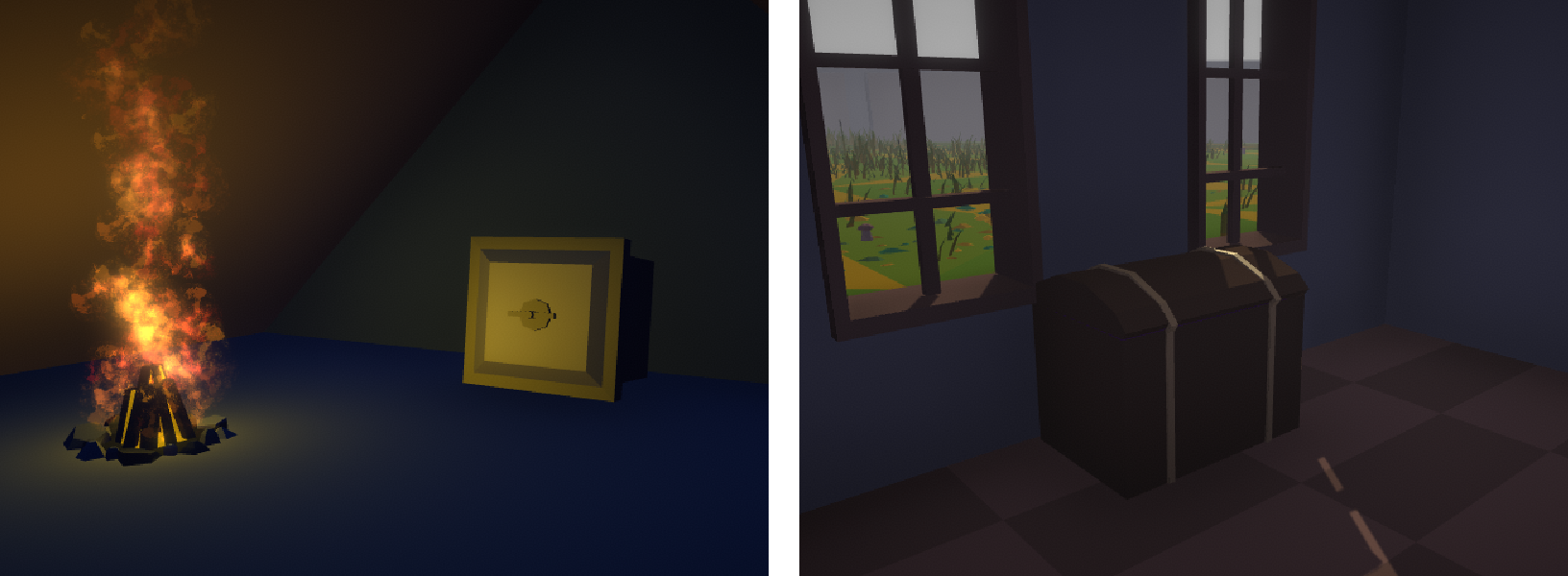
As partially mentioned in the previous devlog, chests are the new main way to obtain items. Instead of finding items laying around, some of the buildings will have chests in them. They can be opened by holding the interact key when near. It takes a few seconds depending on the type of chest, and some might give you the “Actually, it’s locked” message. But if everything goes correctly, they’ll open, and items will appear inside:
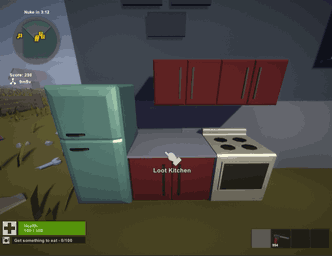
Should the chest appear to be locked – or if you don’t have the time – you can also quickly open them with lockpicks… or brute force
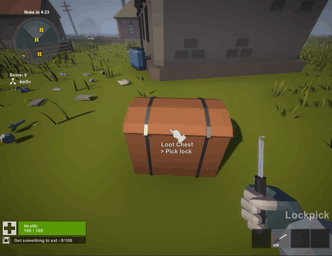
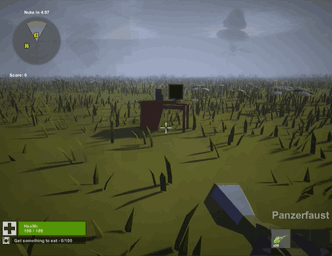
Even tho all the models are completed, only half of planned chest have been implemented; the ones you’d find in houses. The remaining chests will be spawned not necessarily in buildings, that’s the stuff like: garbage cans, picnics, leftover cars, leftover luggage and crates.
Thanks to this new mechanic, there is less items on the map, and since chest code is far more optimized that the rest of game’s code, there might be a slight increase in performance. There is also one important advantage: since some chests can spawn up to 6 items at once – due to dilapidation system – the player might get a lot more items in the first half of the run, and at the same time, keep the low amount of spawned items in the latter half. This makes the beginning of each run easier, while not affecting the difficulty of the further rounds that much.
They also look way more nice and fitting in the new buildings. Speaking of…
2 New terrain
I plan on expanding the map generation system, by adding new world models, new biomes, and new options in regards to biome customization. Due to the time and energy required for major world changes, those will be reserved for the next update after the 1.4 one.
I did however, work a bit on some smaller world changes, and I think they are worth mentioning here.
2.1 New models
While the visuals of maps haven’t changed that much since the last devlog, I am currently adding new world models, to make maps look less repetitive. This is mainly for the building models, and models surrounding buildings (like fences). Previously, there were only 6 buildings (2 houses, 1 ruined house, 1 mansion, 1 apartment, and 1 log cabin), and 4 decorations (wooden fence, propane barrel, telephone pole, and a small shed).
I now plan to multiply the variety of these models by at least a few times. The current progress looks as follows:
- Houses 6/6
- Ruined houses 2/4
- Huts 4/4
- Mansions 0/3
- Apartments 0/5
- Abandoned facilities 0/5
- Public areas 0/5
- Additional areas 0/5
- Fences 6/6
So yeah… adding all of them will take some time. Tho the amounts might change; certain categories will have less models, if the lower amount will be satisfactory. At the time of writing this log, the implemented buildings look something like this:
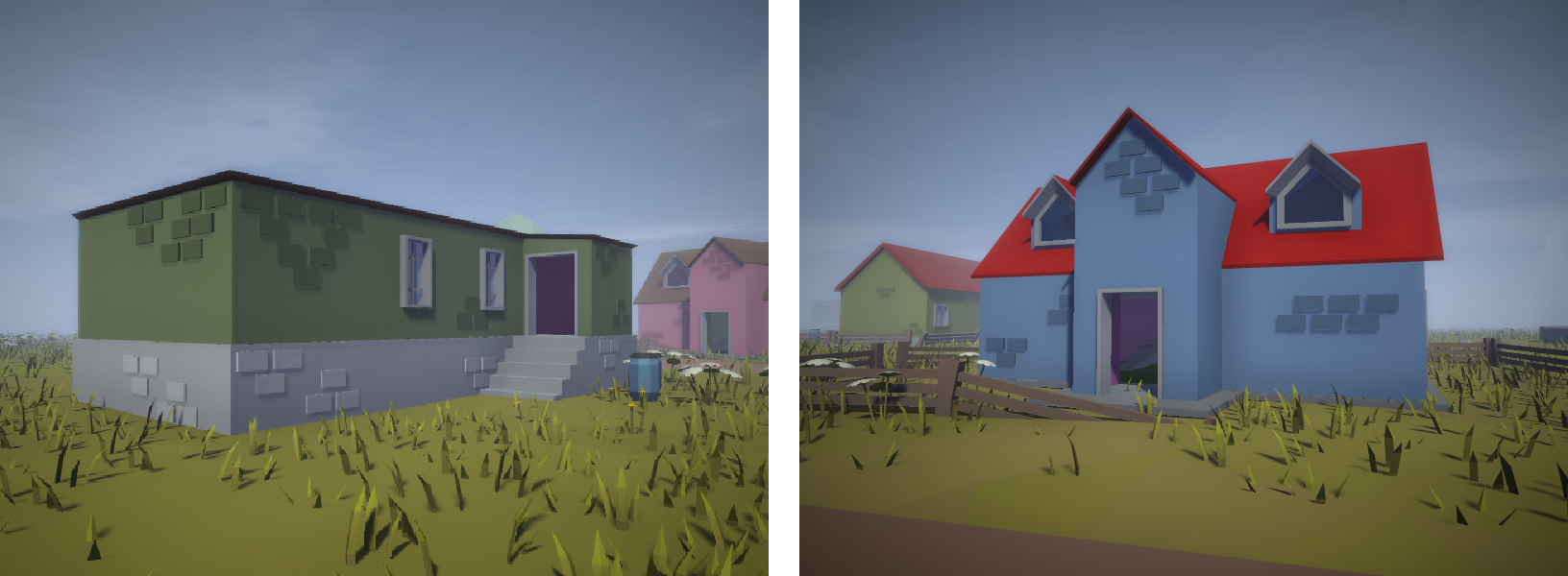
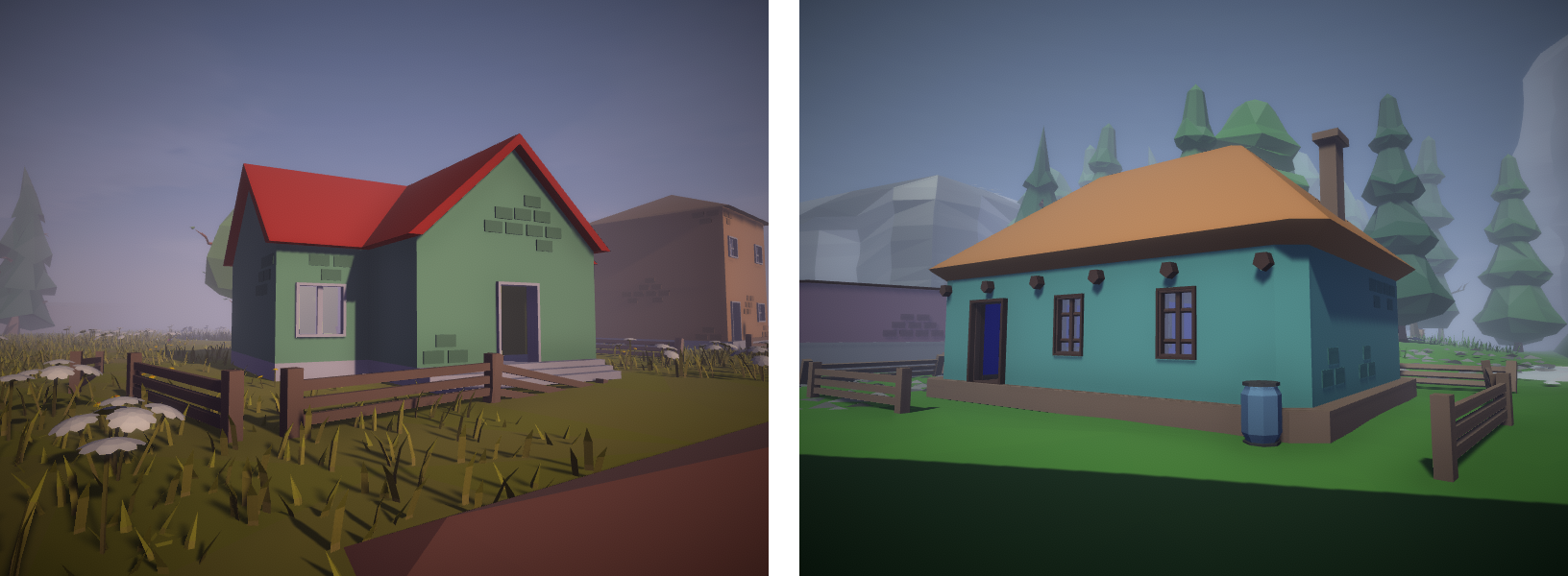
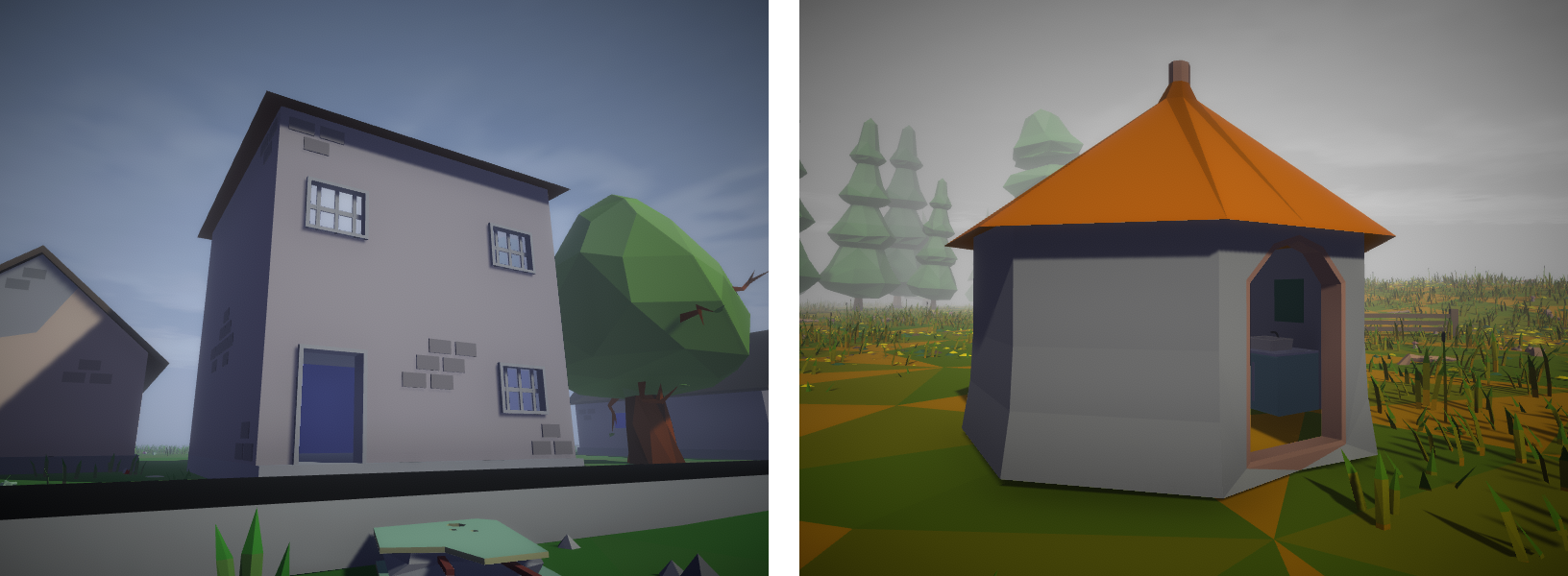
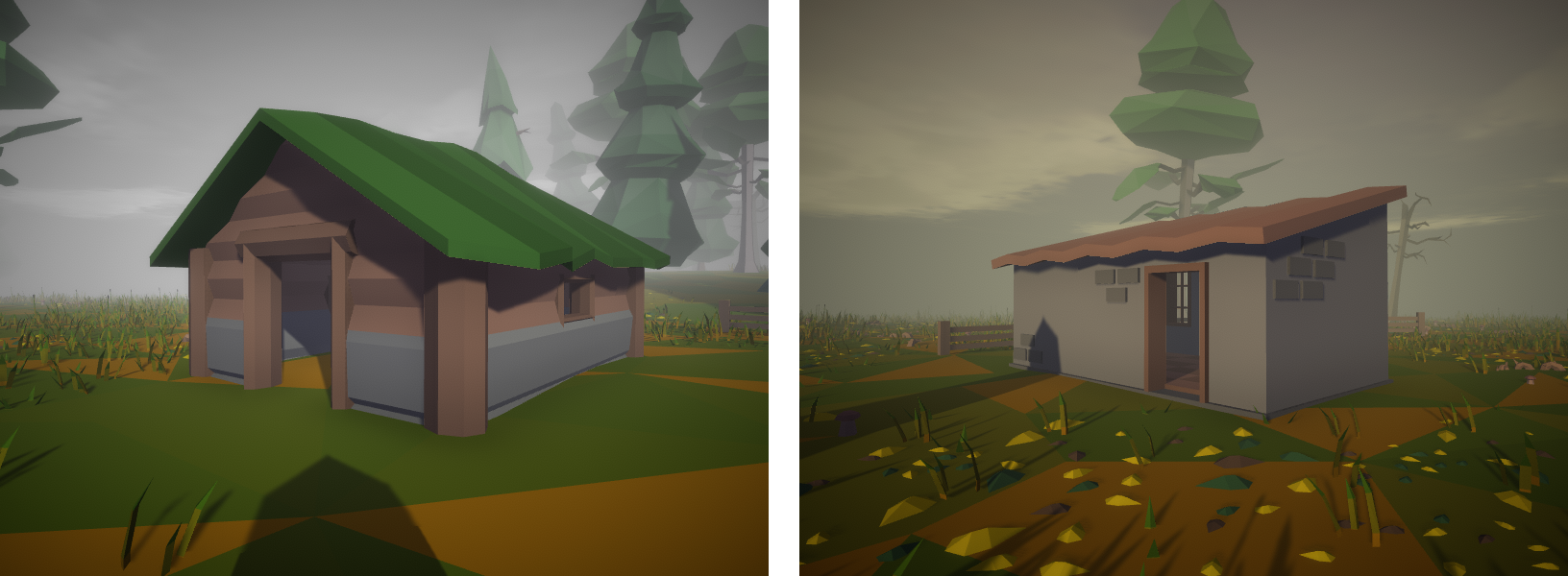
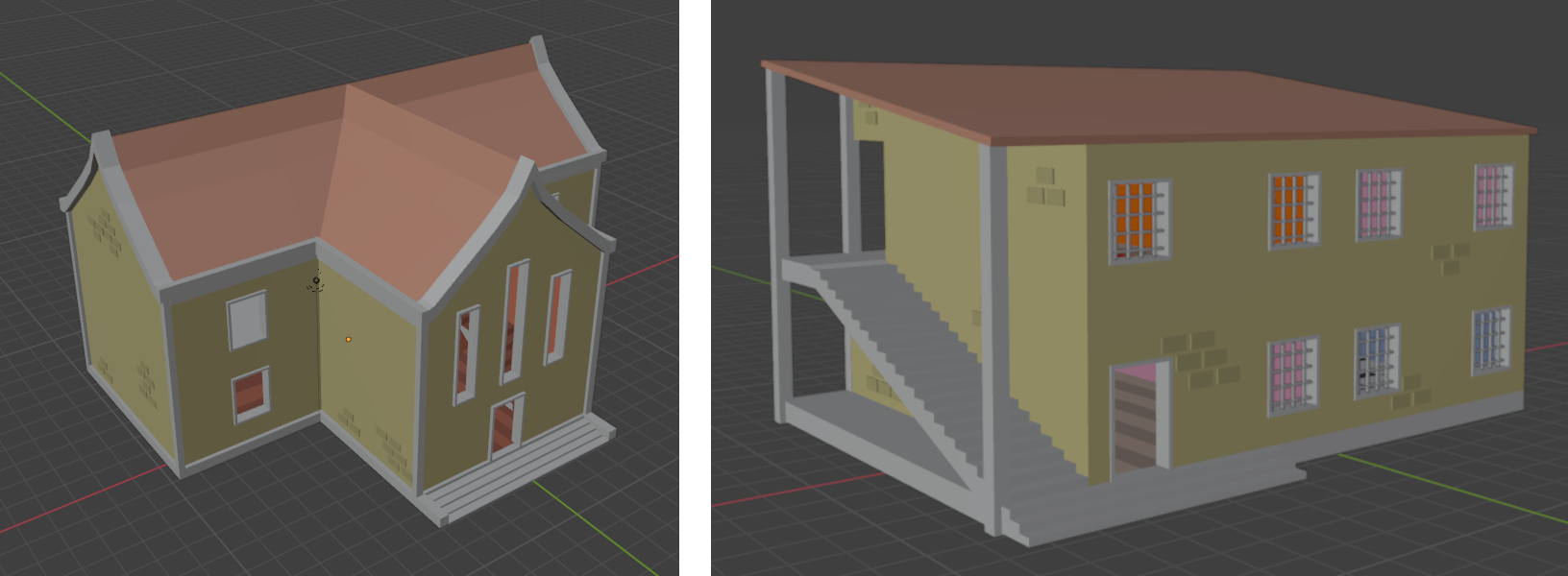
Pretty neat, aren’t they? A sad thing, is that the 3D modeling of the objects takes a lot of time (about one building per day), and so not all of them will be available before the tests. There’s also a possibility, that not all of them will be implemented for the actual update – but they already look way better than the old ones.
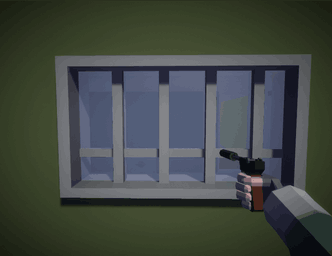
Oh, and they are partially destructible:
2.2 Reworked map generator
I did also rework world generator code moderately. The changes affect only the core mechanics and systems of the generator, and so I won’t go into the details, since very few will understand them. I can however, list potential pros of the new system:
- The generation is less random, and more procedural – so much so, that even contents of individual barrels and chests, will be the exact same, for each generated level with the same seed
- More options for biome customization – I can now easily change stuff like: biome size, individual tile size, and atmosphere colors
- Tilemap based spawning system – even though the old generator also worked by placing tiles on a grid, the new one utilizes Unity’s Tilemap system. This has a few advantages, main one being RuleTiles, thanks to which tiles can connect with each other (which can be used to create lakes, mountain ridges, or connected roads)
- Tilebanks – previously, each biome had a set array of available tiles, and would pick a random one for map’s each 100 available tile slots. The new Tilebank system, allows for more customization when it comes to picking a tile, for example: we can choose which region of the map will have specific tiles, and in case of many tiles, how will they be picked from the others (at random, via noise map, or some other way)
- More options for individual tiles – instead of just placing a tile in a slot, a few additional changes can be applied to newly spawned tiles: like different heights, different rotations, and individual objects within the tile can be now modified in more ways than just a change of colors
2.3 Reworked fjords
The above might be a bit hard to understand, thus I’ll use the newly reworked Fjords biome, to showcase the changes in practice. Previously, the aforementioned fjords had a fixed height, looked the same – and in general – were boring.
With the height and rotation differentiation, the new fjords look as follows:
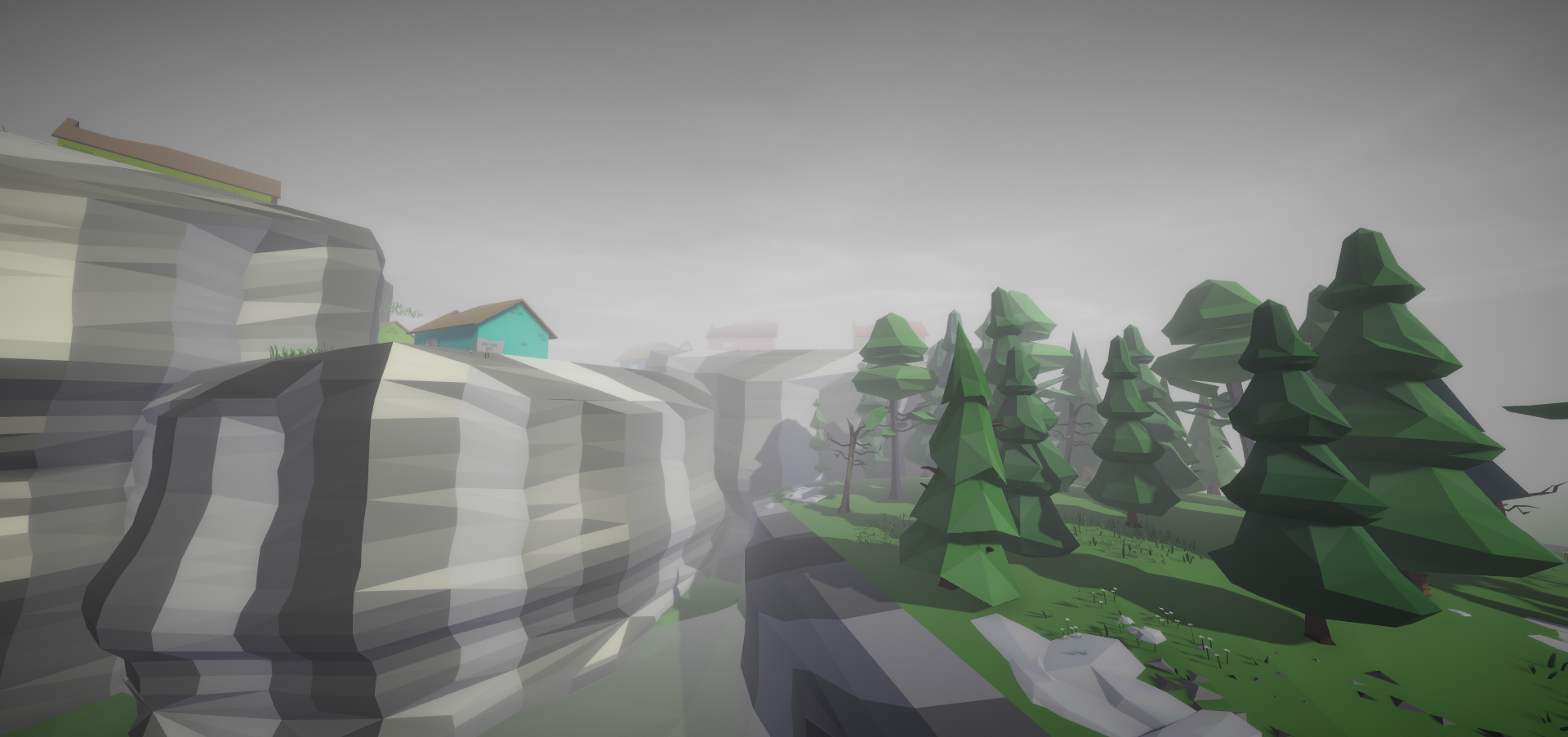
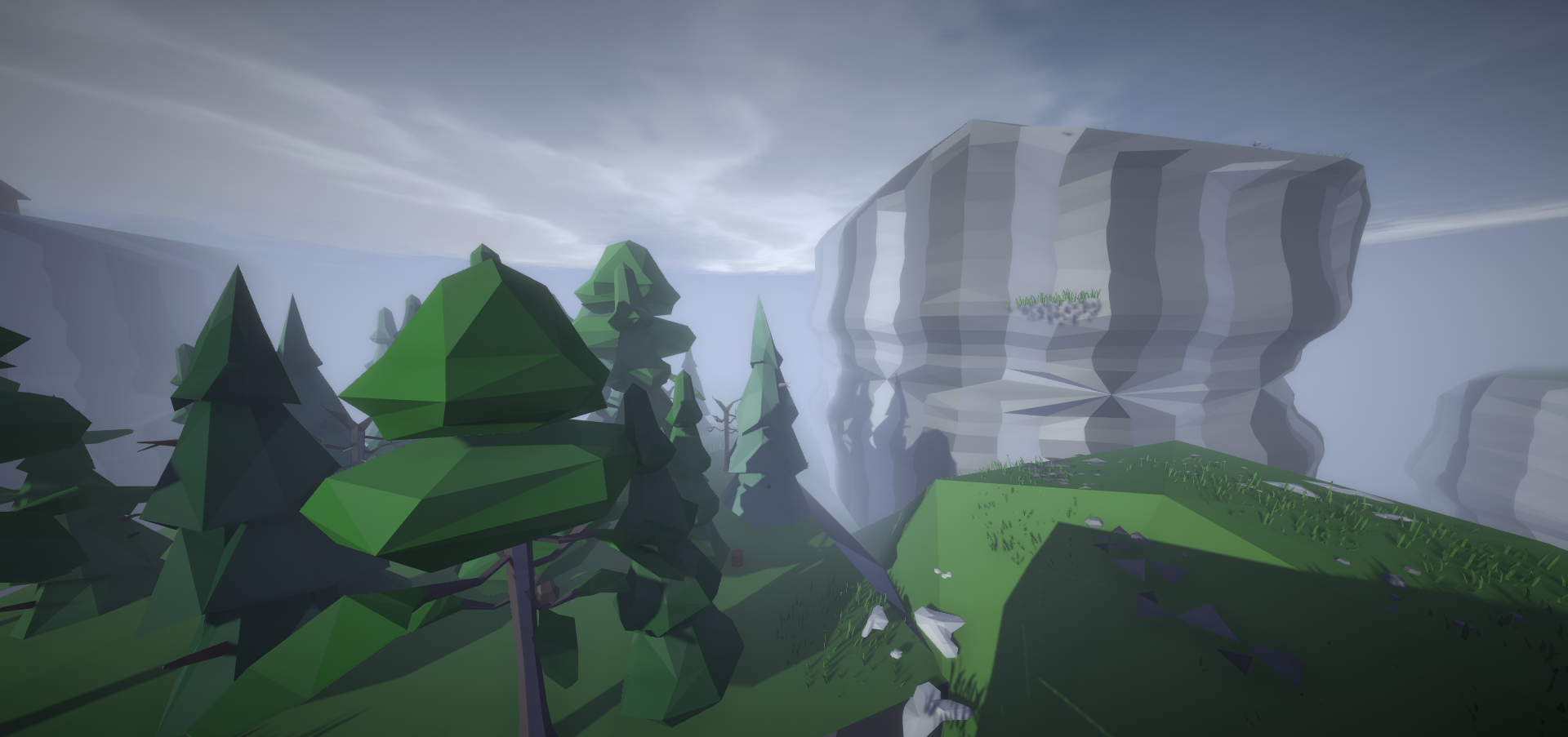
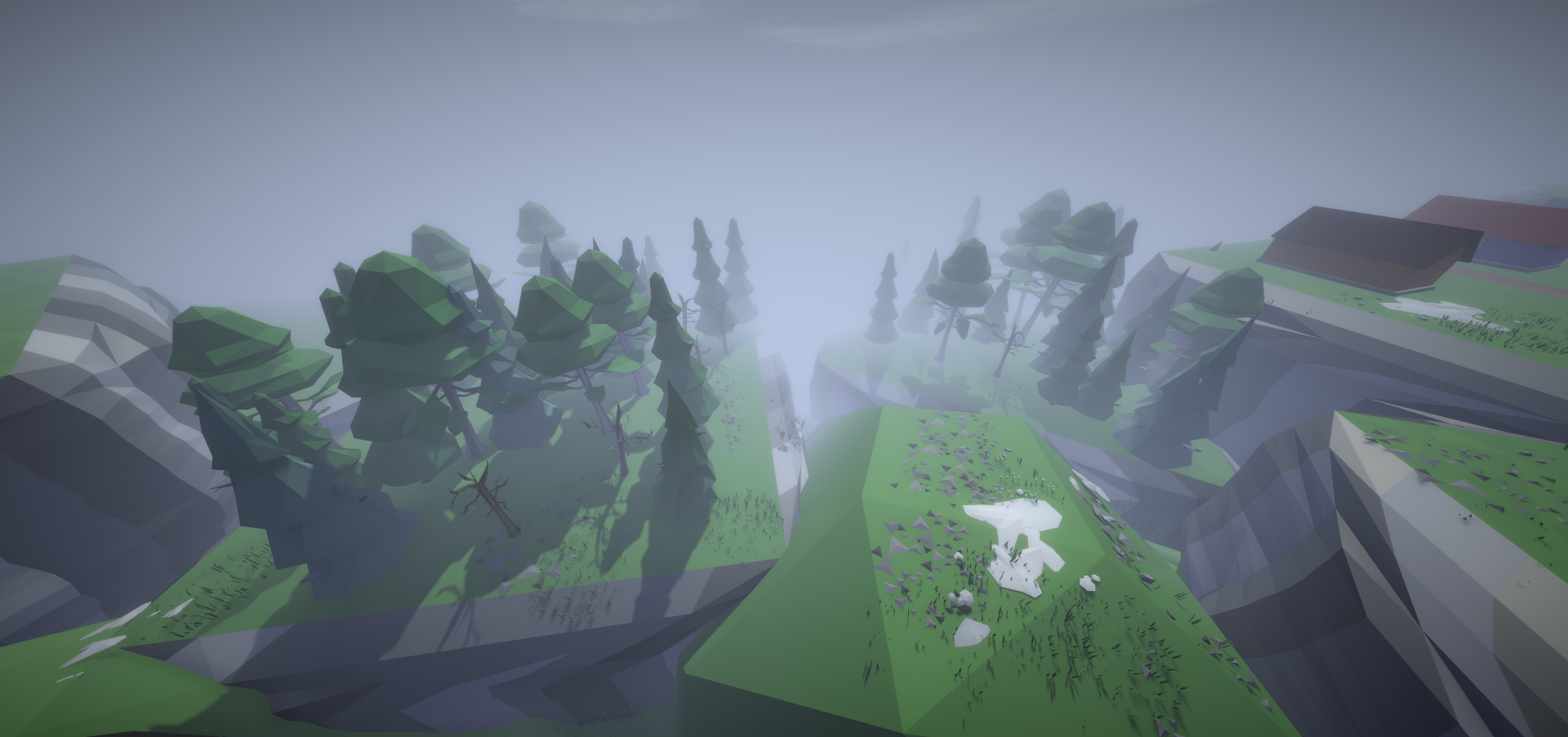
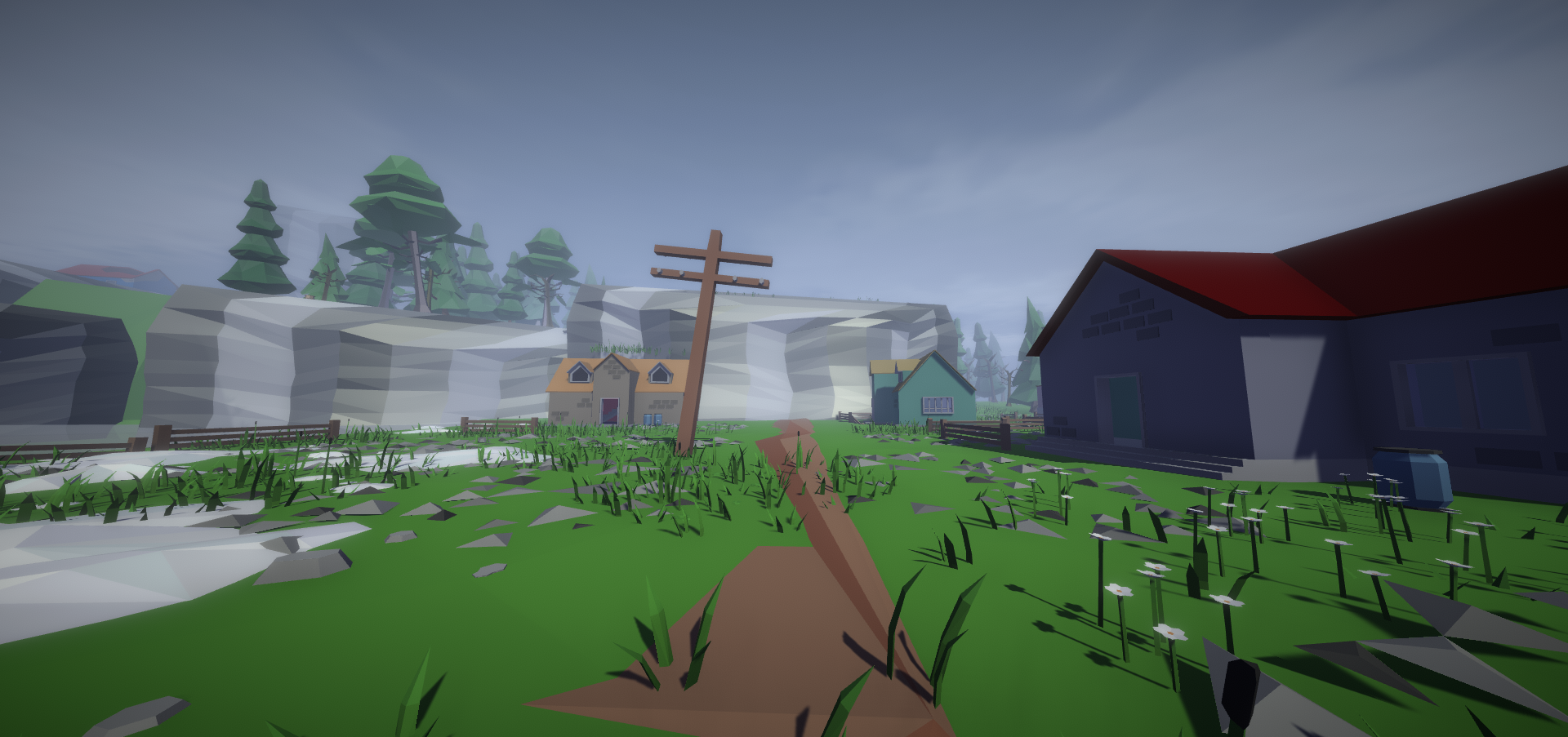
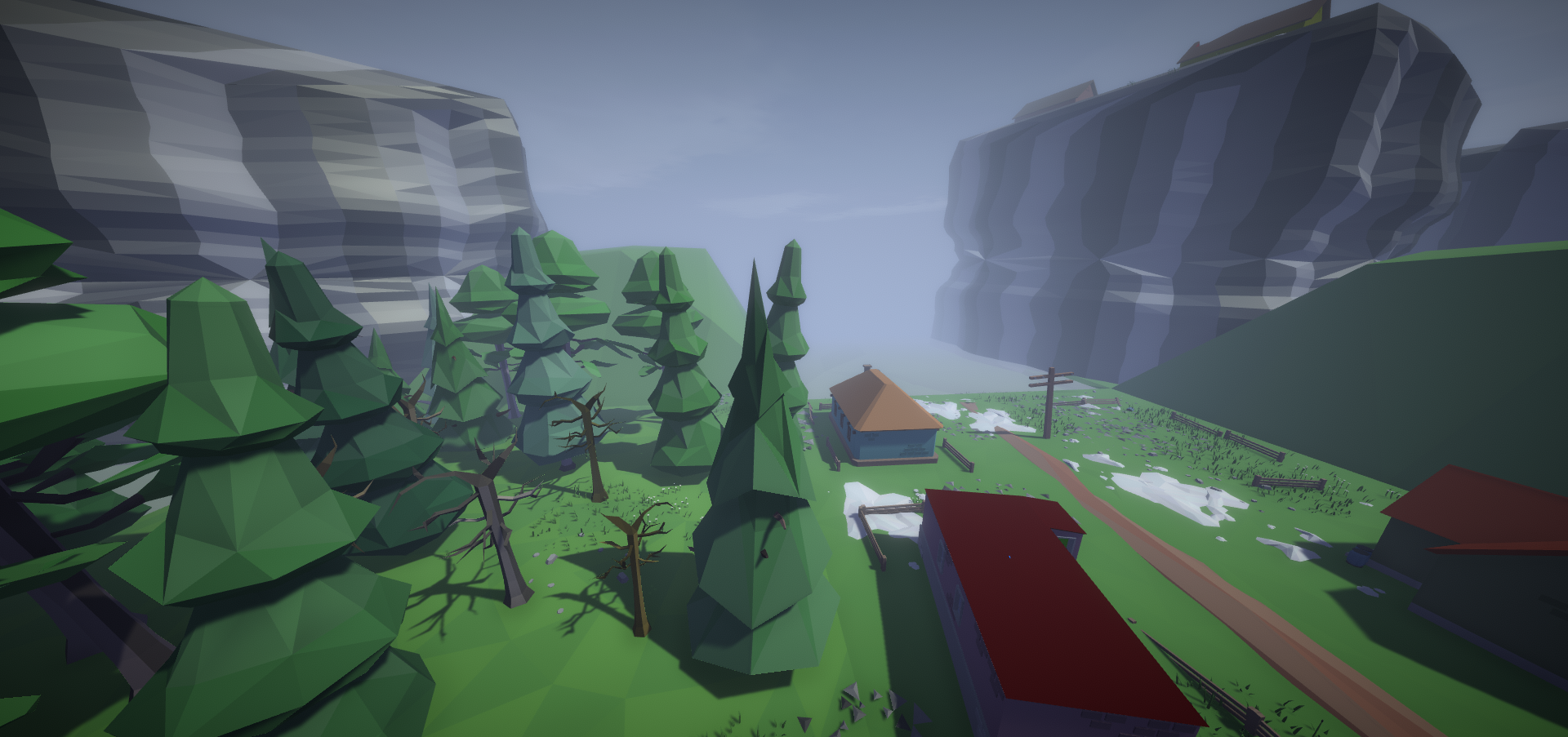
Notice there are no gaps between them? One could think, they can block the exits. Fortunately with tile banks, we can separate fjords into a different bank, whose region will not collide with map border. It looks something like this:
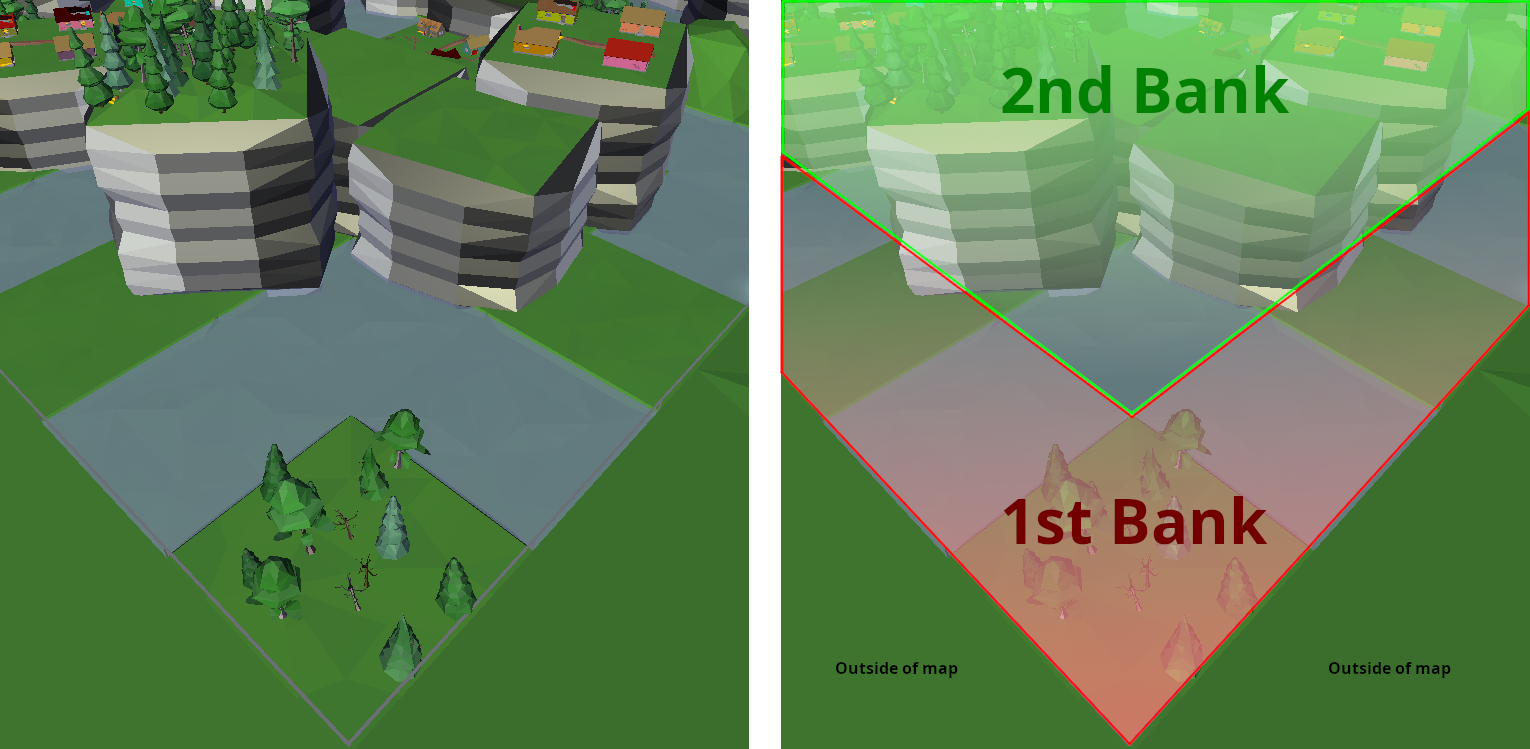
I also plan to rework the Sea and Desert biomes, as similarly to Fjords biome, they are rather boring and annoying. With the new generator, I might make them slightly better, tho I’ll keep more drastic changes and improvements for future (after the 1.4 update).
2.4 New atmospheres
Over the past 1.5 years, I’ve learned a lot of new stuff, and so I’ve used this knowledge to streamline some parts of code, into separate classes and ScriptableObjects. That has made creation and modification of certain parts easier – the new AtmosphereConfig for example, allows for easier implementation of new ambient colors for individual biomes.
You can see below, the new atmospheres for biomes (day > dusk > night, the three above are in the clear weather, the bottom ones are in the cloudy weather):
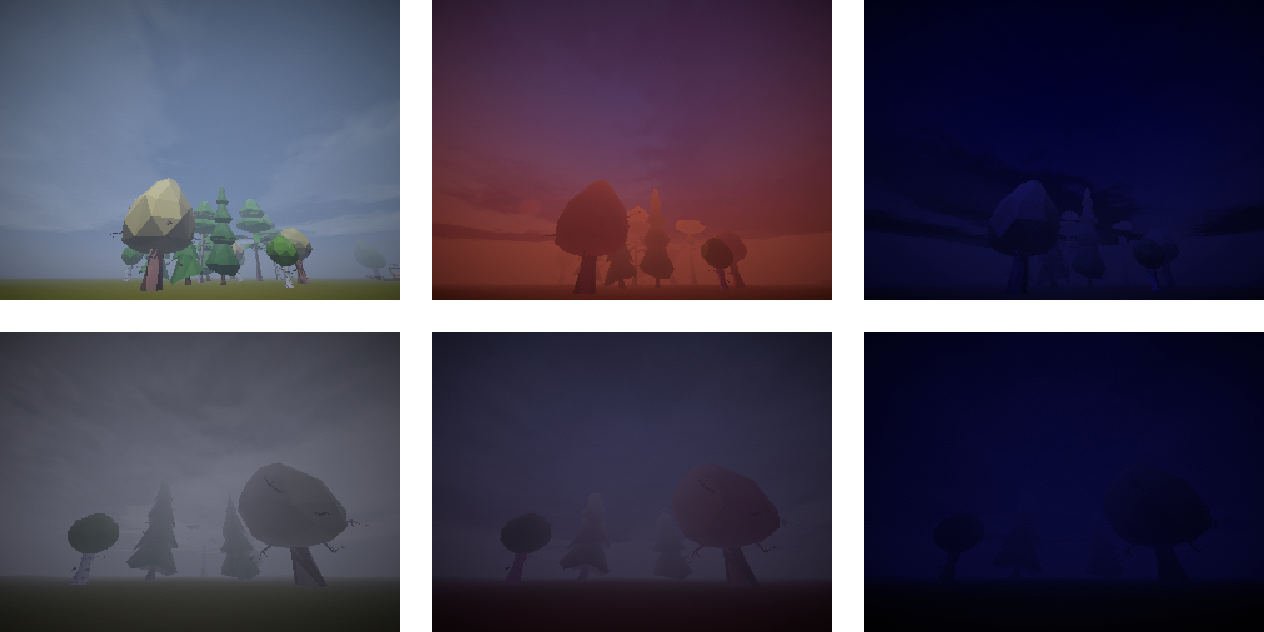
(Regular atmosphere)
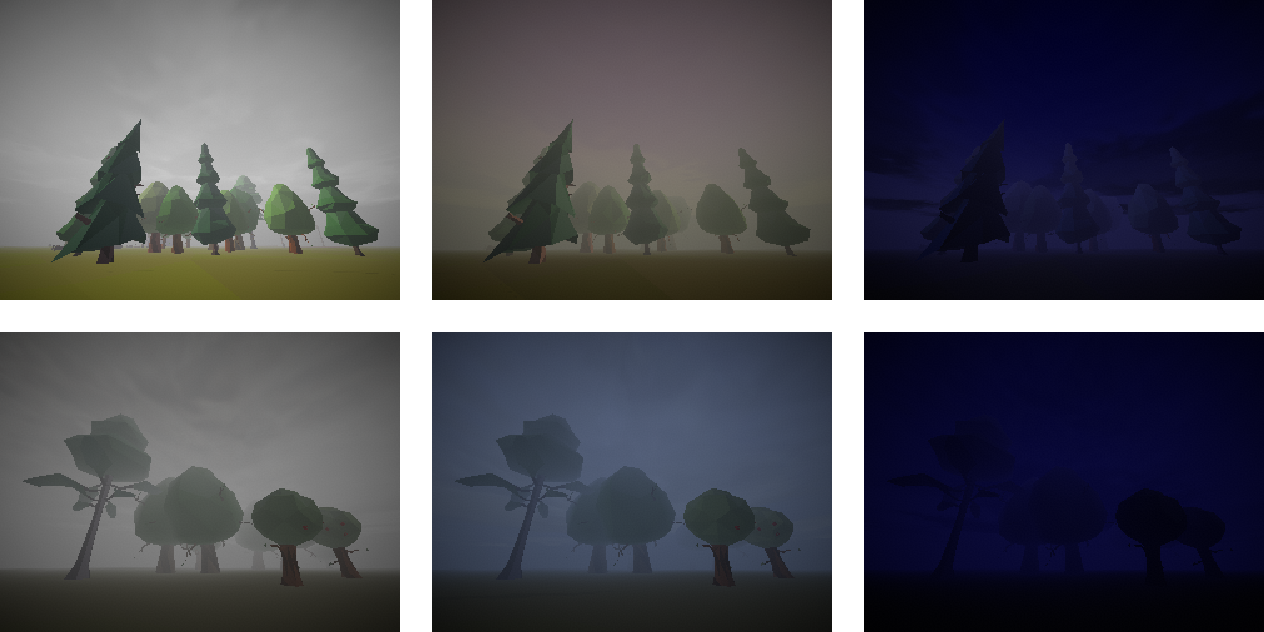
(Overcast)
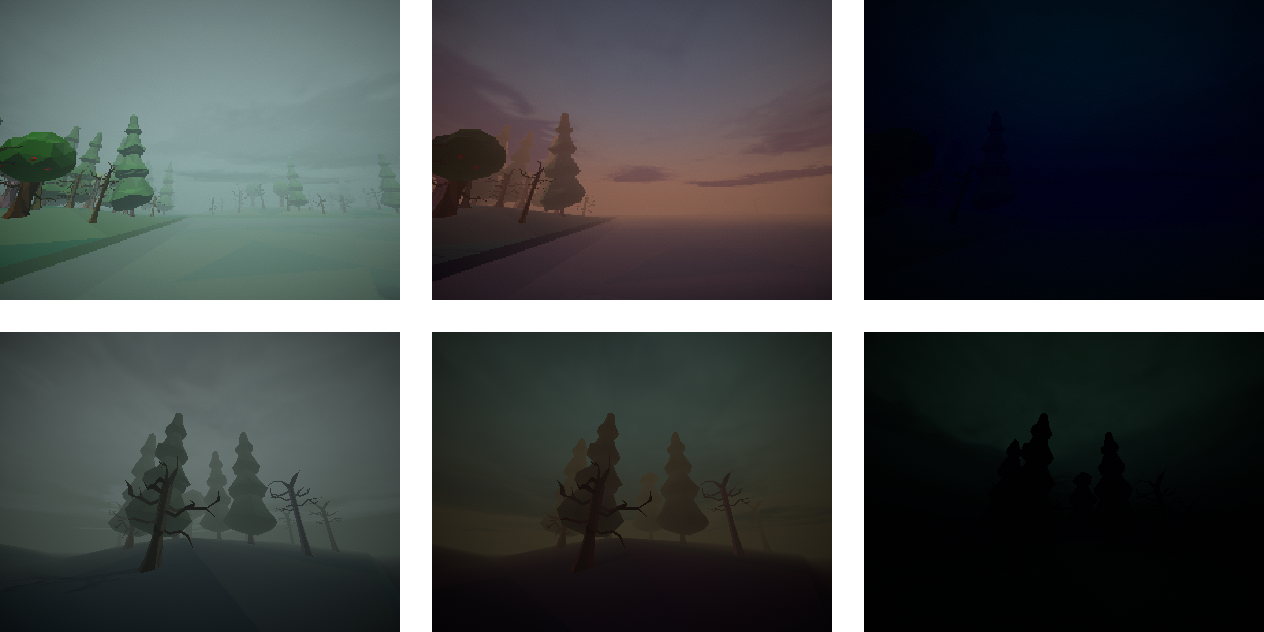
(Swamp overcast)
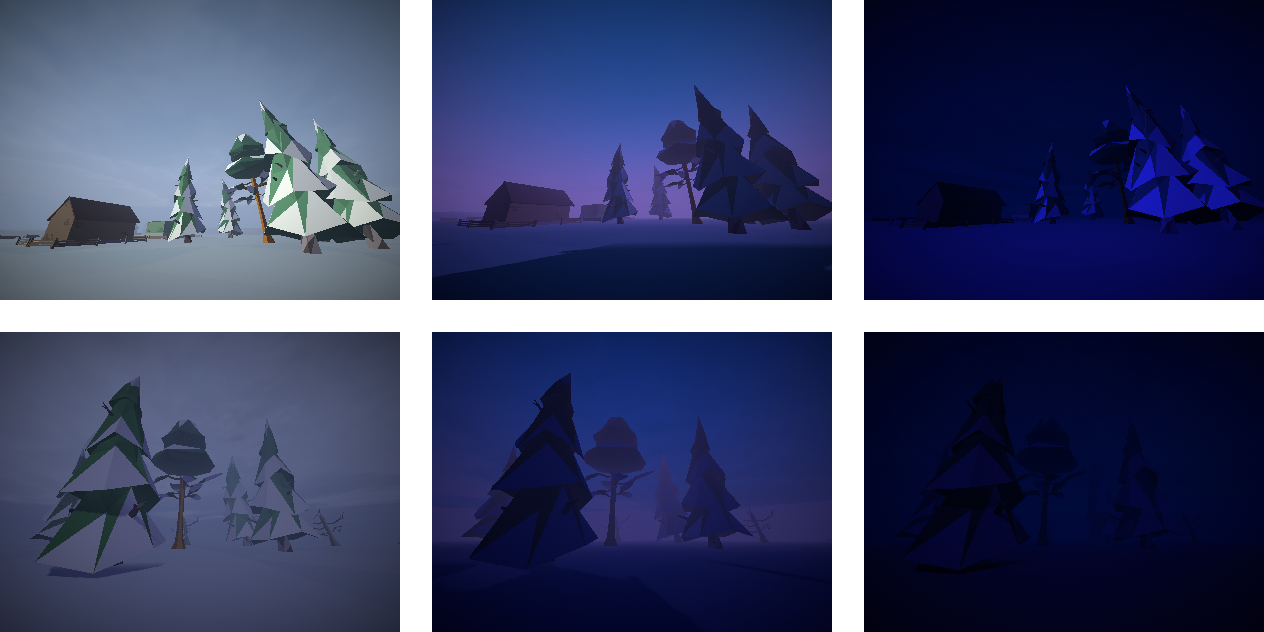
(Cold atmosphere)
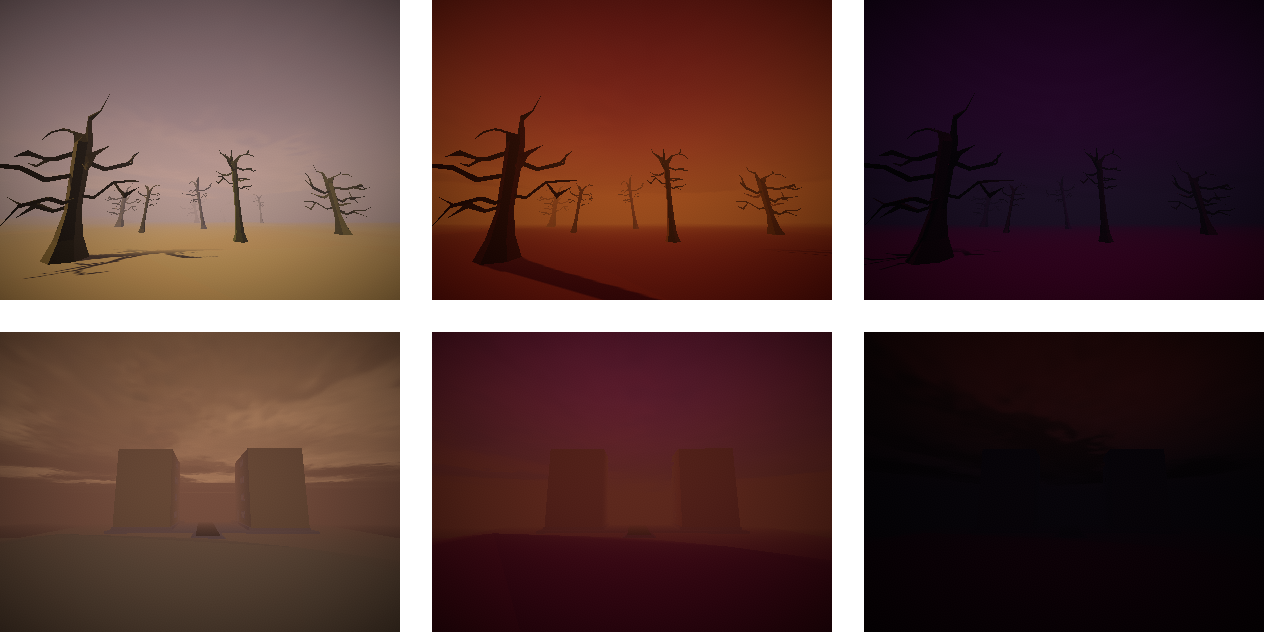
(Desert atmosphere)
Additionally, atmospheres can have different rendering radii, increasing or decreasing visibility according to biome’s needs.
2.5 Improved minimap
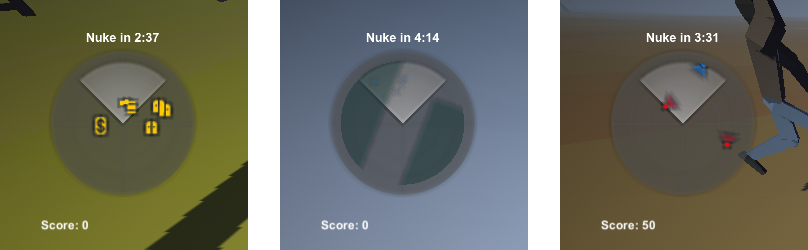
Both Information tab’s map and minimap used to work the same way: there were a few loops that checked for object positions (mobs, items, exits and monuments), then created new sprites within the maps’ area, and removed all of the previous sprites.
This has two issues: too many “Find“ command calls (cause the objects references weren’t cached), as well as too many GameObject.Instantiate() and GameObject.Destroy() function calls. The latter especially, was causing heavy lag spikes.
So I’ve decided to replace the previous system, with the more popular and efficient solution: using a separate camera for minimap. Sounds weird, but it works way better. Also – due to it’s improved performance – it has allowed for the following additions:
- Radioactive zones can be shown on map
- Items, barrels, chests, ammo crates, and vending machines – all of them will be displayed
- Mobs have “Sight cones”, which allow stealth player to check, where the NPCs are looking
2.6 New radioactive zones
Another important element of the world generation, that has been reworked, is radioactivity. Previously, each radioactive zone was intertwined with corresponding map tile. That caused two problems: a highly radiated map could’ve been unfairly impossible to navigate without protection, and certain types of parts had a tendency to be more radioactive than others (like, forest cabins and mountain mansions were always radioactive).
The new zones are now fully autonomous, and can be placed anywhere, and be of any size.
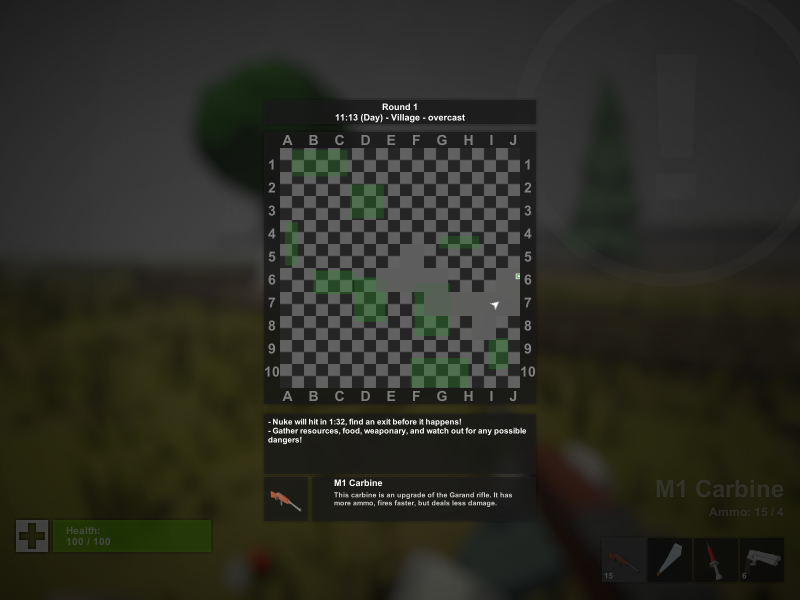
Now – instead of being predictable and omnipresent annoyance – the radioactivity behaves as I initially intended: it simply cuts access to completely random spots on the map.
It even can create interesting scenarios, where – for example – a half of building (including the entrance) may be within a heavily radioactive zone, thus forcing player to break-in from behind the building (via player’s buildings, or destructible building parts).
3. Casual mode
A thing that some of you might find extremely delightful, is that the Casual mode – announced way back in 2021 – has been fully implemented, and works just fine.
For those who don’t want to rummage through the old posts, Casual mode is essentially the same as Classic mode, but with the following changes:
- Hunger is disabled – food items will be instead used like healing items, with 4 food points to 1 health point conversion. This also means, you can escape map without eating, but also won’t get any rewards/punishments for your diet after the round
- Harder to kill – players will take four times less damage from any and all sources, certain debuffs (like bleeding or broken bones) will instead be converted to hit points, and debilitating effects on getting hit (like camera swaying, or getting slowed down) are nonexistent
- Easier guns – recoil is more manageable, and instead of using ammo items to reload guns, you’ll have the same universal ammo counter, as seen in the Horde mode
- No stamina – you can sprint and jump indefinitely, although performing any kind of other actions, will prevent you from sprinting and jumping
- More uses from items – certain items might have more uses, while every item that has durability (mainly melee weapons), will have it’s usage time doubled
- Altered terrain dilapidation – while in Classic mode, levels get more “dilapidated” (less items, less useful lands, more powerful enemies, more radiation) in a linear fashion (from 0 to 100 in x amount of rounds), the Casual levels have their “dilapidation” more randomized:
- 0 for the first level
- 0 - 50 for the first half of x levels
- 50 - 100 for the second half of x levels
- (50 – 100) - 100 for levels exceeding the x value, where with each exceeding level, the randomization is getting closer to constant 100
x is the amount of levels, after which dilapidation in Classic mode becomes 100, and does not increase
From the play tests I’ve managed to have, this mode is not only simpler (in regards to mechanics), but also easier. A bit too easy perhaps – which was not the intention – but I’ll leave it as is; consider it a sort of sandbox mode. I will however, reduce the experience points gained during Casual runs, to compensate the inferior difficulty of the mode.
4. New interactables
Besides chests, a two new types of interactables were added.
4.1 Ammo crates
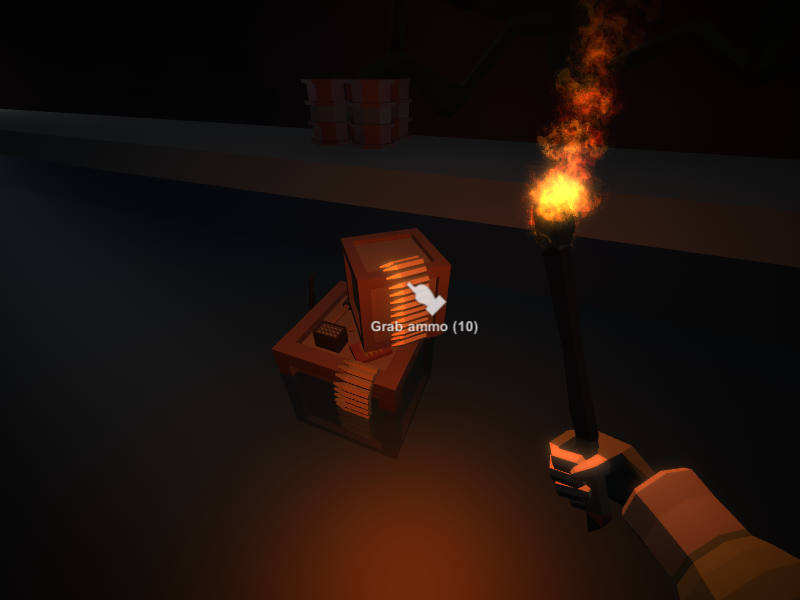
Ammo crates are mainly a part of the Horde mode. When the universal ammo is low, an ammo crate will be spawned somewhere on the map. It has a certain amount of ammo, and once all of it has been collected, the crate disappears.
Ammo crates can also be found in Classic and Casual modes, although they are spawned at the beginning of a round. In Classic mode – instead of universal ammo – ammo items will spawned, either random ones, or the ones for currently carried guns.
4.2 Funny barrels
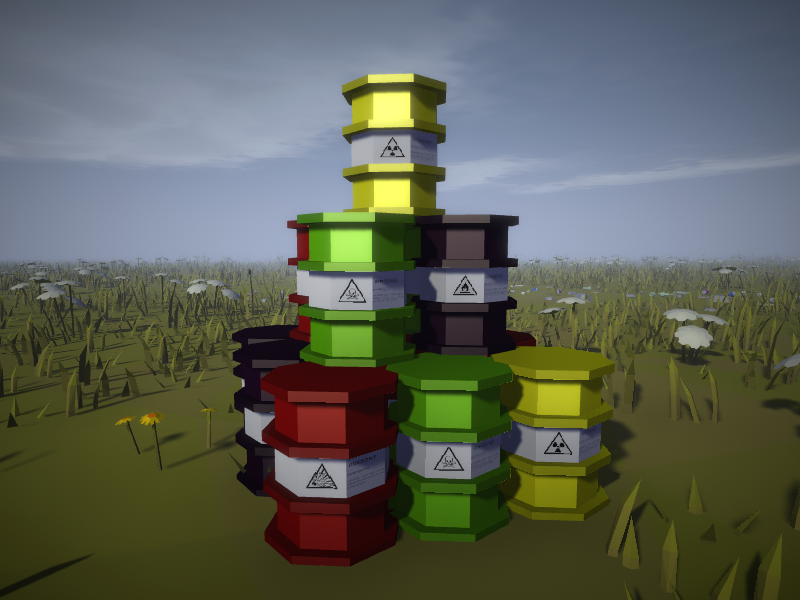
When a barrel is spawned, it has a 1 in 10 chance of becoming a “Funny barrel”. Each funny barrel has only 20 hit points (like rusty barrel), and drops 3 to 5 random items (like red barrel). Chance of them spawning, hit points, types, and loot, are not affected by level’s deterioration, and they can be distinguished from regular barrels by their white label.
What makes barrels’ funny, is that for every 1 lost hit point, they have a 1 in 20 chance of doing something… funny:
- Explosive barrels (red) – can explode like a grenade, destroying barrel in the process, scattering items around, and hurting anyone nearby
- Flammable barrels (indigo) – can burst into flames like a molotow, destroying barrel, and setting anyone nearby on fire
- Radioactive barrels (yellow) – can create a small invisible radioactive cloud around itself
- Toxic barrels (green) - can spawn a cloud of toxic gas around itself
The idea is, these barrels can be easily destroyed, for easy loot. But if you destroy them manually, or with melee weapons, there’s a chance you might get hurt in the process.
5. Pathfinding
During the last semester of my bachelor program, I had programming classes, where I actually managed to learn something useful. To be more precise, we were taught a few gamedev specific lessons, one of them being the proper use of Unity’s NavMesh system. Equipped with the knowledge – and with some hefty code rewriting – I’ve implemented NavMesh system into the game.
TL;DR: Pathfinding has been implemented into the game
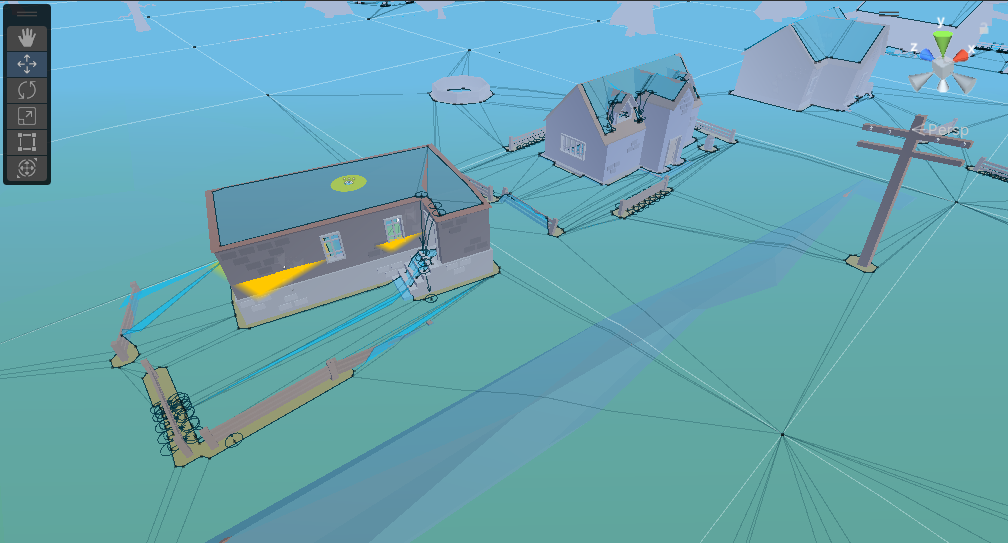
Unfortunately, I didn’t bother recording it in action, and it might be hard to explain through images. I’ll put it like this: the NPCs still behave the same, but instead of going in a straight line towards their point of interest, they will find an optimized path towards it, and will avoid all obstacles in their way. At first, it might not seem like much, until we take a look at the following outcomes:
- NPCs that are chasing you, will no longer get stuck on small objects, like barrels or fences
- If you enter a high floor in an apartment, and make a sound… The NPCs will enter the building, go up the staircase, and will shortly thereafter arrive near you
- If you hurt a guard without killing them – even if you finish the job – the rest of the guards will quickly get to your position (yes, even in the maze monument)
- Mutants in Horde mode, no longer get stuck on obstacles, and no longer gather in groups, where they stand still for no reason
- If you make a sound in a mutant riddled area… luck to you
There still are few artifacts which need patching, but there are also two problems, which might not be fixed as easily:
- Since the map is randomly generated, NavMesh surface has to be “baked” every time, which can take a long time (on average, 5-15 seconds)
- The surface settings I’m using, don’t allow for dynamic changes, which means the terrain cannot be too destructible (or else the NPCs might get stuck – or walk on – nonexistent objects)
The issues above might perhaps get resolved, if I’ll cut the singular NavMesh surface into smaller chunks. But for now, the one we have works just fine (even on my low-mid tier laptop).
6. A lot of items
Since the update 1.3, 41 new items have been added so far. Not much, until we take into consideration the fact, that those are 41 out of 91 planned new items. However, it’s not the amount that we should focus on, but rather the actual content!
6.1 Buildings
In the previous devlog, I’ve mentioned the new building system. It has been fully implemented, and there are already 4/10 new building items!
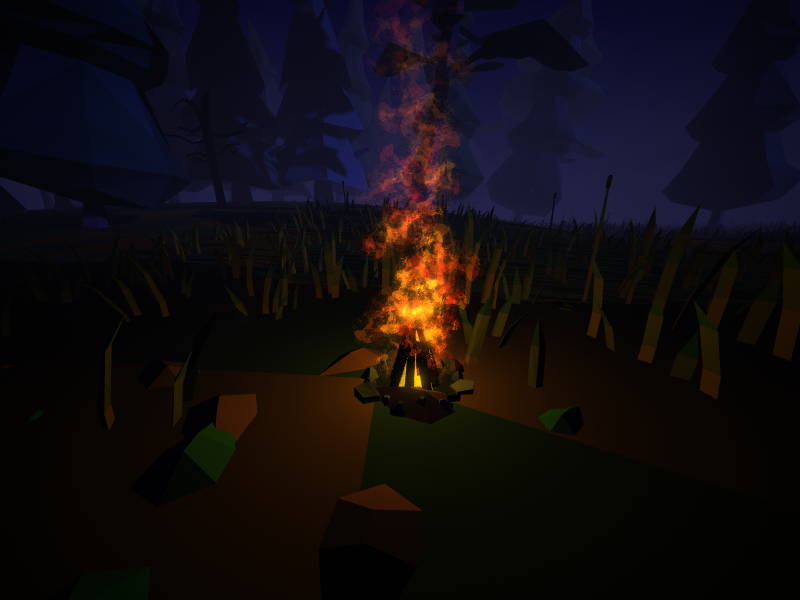
One of them being campfire. It is a very powerful construction, which casts a small light around it – but most importantly – it also generates heat! Obviously, heat will decrease your coldness and wetness debuffs, but it can also be used during crafting.
Certain items will require fire besides the resources, in order for them to be crafted.
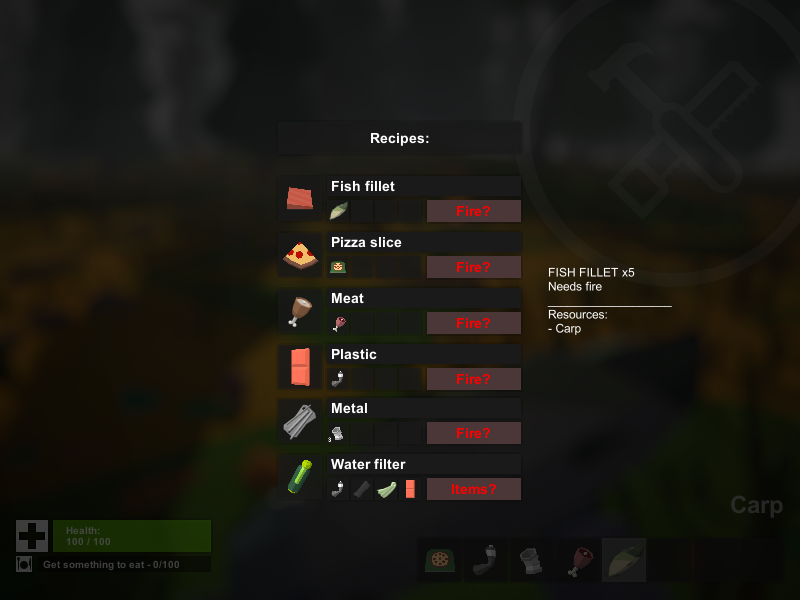
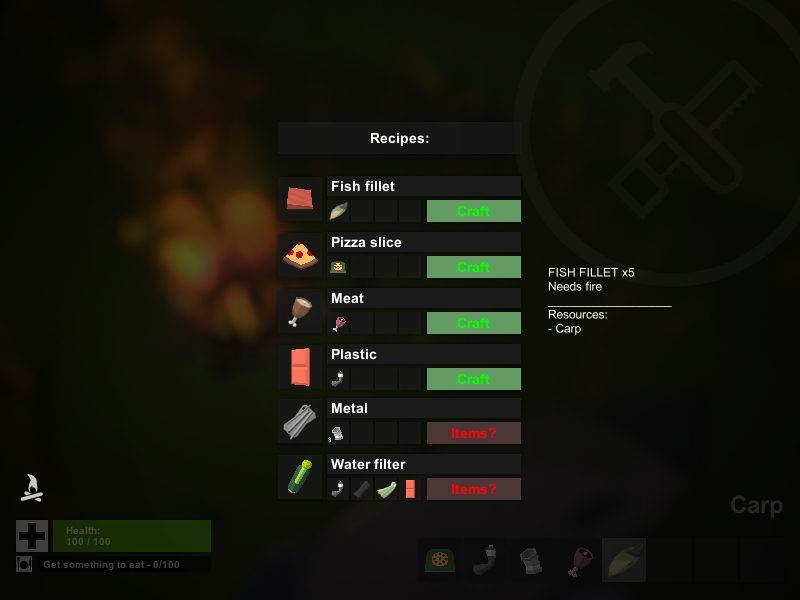
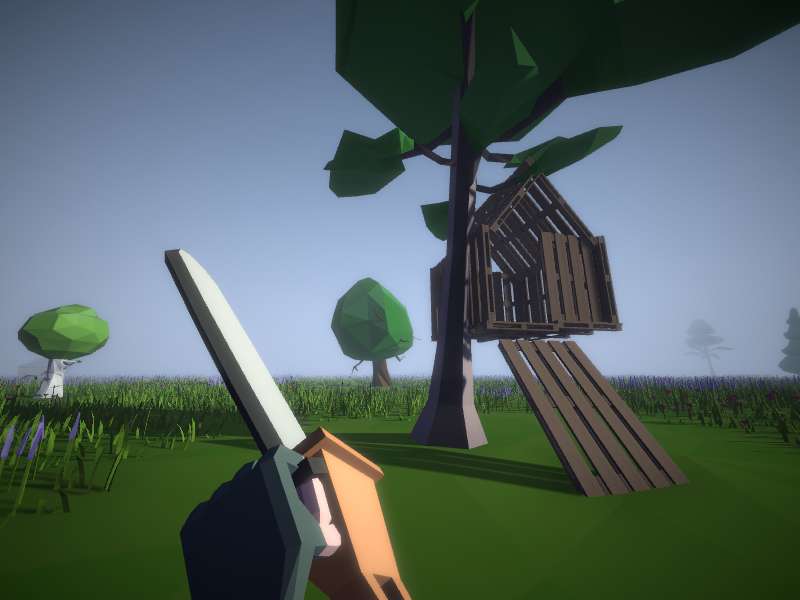
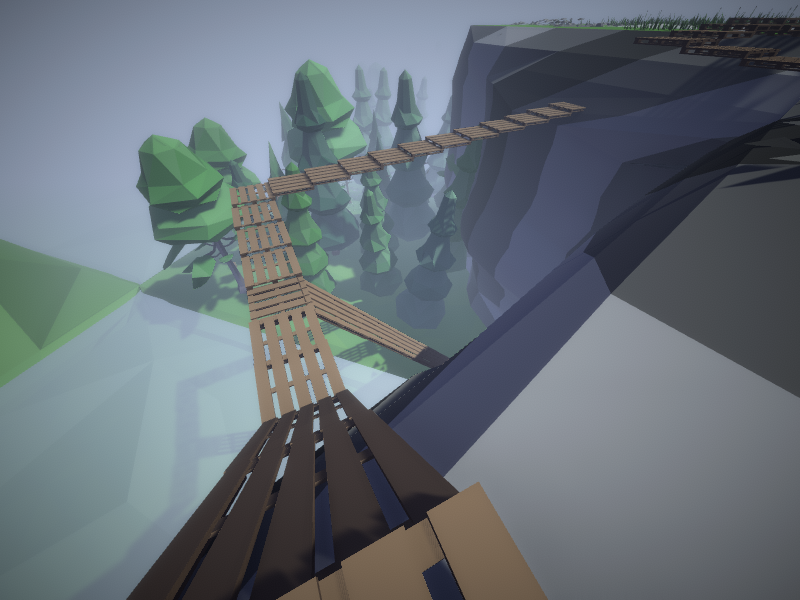
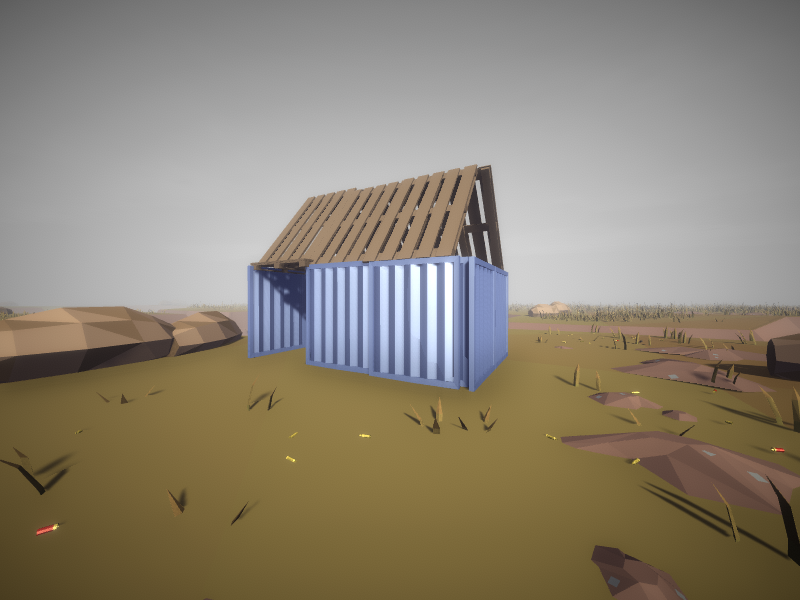
There are also two walls, which can be used for a makeshift shelter, or as bridges to areas which are harder to access. Both work the same way, albeit metal ones are more durable.
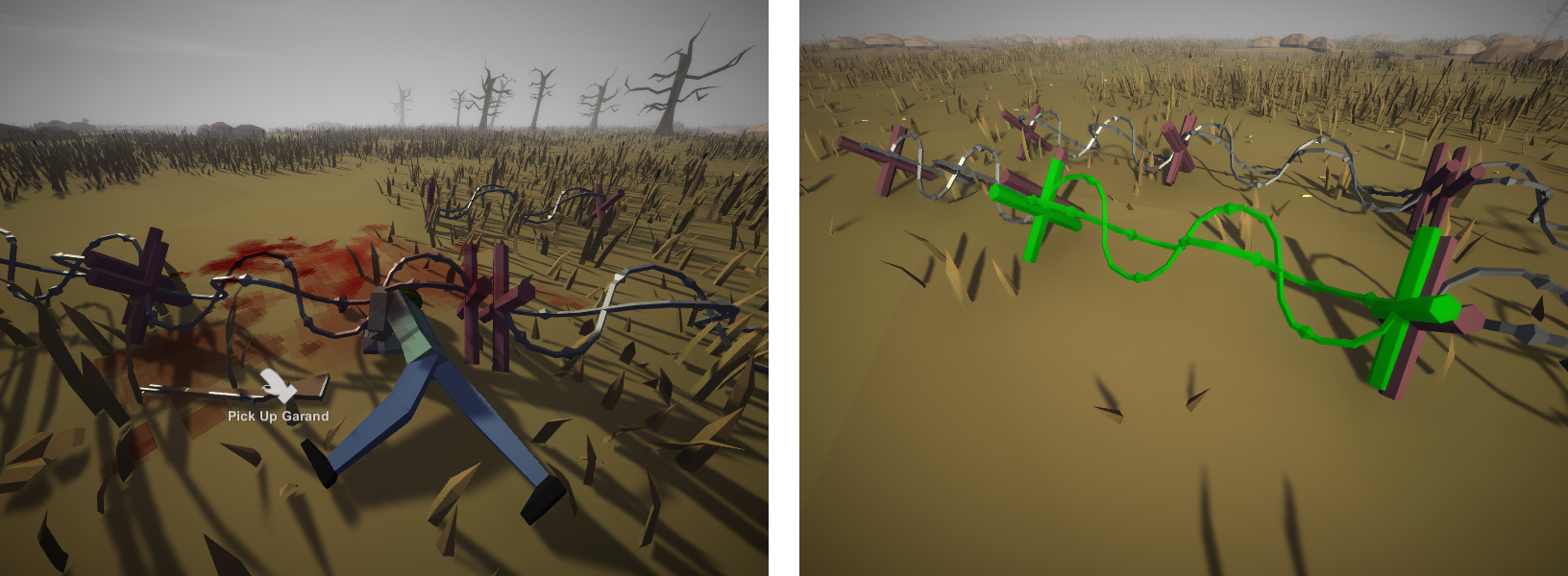
The last (so far) construction, is barbed wire. It’s a trap, that will stop, hurt, and cause bleeding to anyone who walks into it, both players and mobs.
6.2 New weapons
5/10 melee weapons, and 3/15 firearms have been implemented. It is kind of hard to implement new weapons, as there is already a lot of them, and I don’t necessarily want to create duplicates with slight alterations. I’ve decided to make the new weapons mechanically unique, and so for example:
- Pickaxe – can be used to climb walls
- Baton – is pulled up instantly
- Bouquet of flowers – doesn’t deal any damage, but has a chance of making the target docile
- AS Val – has built-in silencer attachment, allowing you to have two attachments at once
- Hook gun – the only firearm that will be possible to obtain via crafting
- Pepper spray – a non-lethal flamethrower; will send targets into panic without hurting them
Aside from the firearms and melee weapons, I’m also planning to add 5 gun attachments, and 5 weapons of miscellaneous category.
I also am, quite fond of how the new black powder guns turned out like:
As you can see, the 7-barreled Nock gun is a funny weapon.
6.3 New food items
Much like with the new weapons, I also tried to make the new food items, a tad bit mechanically more unique. Aside from regular items like carrot, or fish fillet, there are some more unique items:
- Cake – can be consumed a total of 4 times
- Frozen pizza – will provide you 4 slices of pizza, but has to be heated using campfire
- Smokes – they don’t provide you with any food points, but they suppress your hunger, and revert your maximum food points amount back to 100. Of course, since you smoke them, you’ll lose some health points with each use
- Watermelon – cannot be eaten, but can be smashed by throwing it on the ground. This might alert nearby mobs, and it might not break the first time, but you’ll have up to 8 slices of melon, which grant 100 food points, and some hydration buff
- Cheap wine – an alcohol of power somewhere between beer and vodka. If you have a water filter, you can craft sulfur from the wine, which can be used in crafting explosives
6.4 New crafting recipes and materials
Five new crafting materials were added, two of which are empty bottle, and empty can. Those two materials can at random be acquired after consuming items, that are stored either in a can or a plastic bottle. Both of these items, can be crafted into pieces of metal or plastic, when the player is near a campfire.
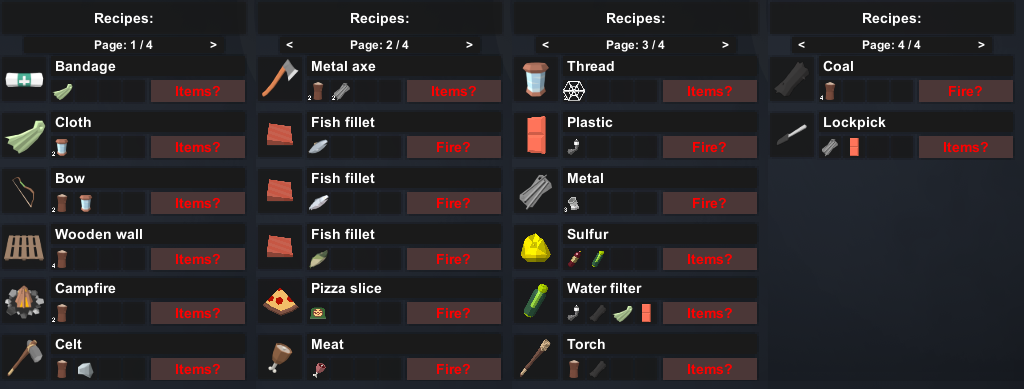
A perhaps more interesting addition, might be the new 20 crafting recipes that were added:
6.5 New utility items, and the rest
I’m not gonna explain the new utility items here, since this category of items has the most unique mechanics of all the categories.
I will add this though: the text file with items to add is located in the source files of the game. And so, you can take a look at it on the repository site.
7. Miscellaneous news
So, here are some other news, that might not have been as big as the others, or I didn’t want to put in a separate point.
7.1 JClass
Here is my another software engineering marvel. A way back when, in the second devlog, I’ve talked about a system that I’ve named “SemiClasses”. In short, those are string variables, that have other variables encoded in them. For example, a string in an inventory “id14;va50;rep;”, has three variables:
- id14 – item identification number, 14 means that’s a knife
- va50 – item durability, which is at half
- rep – a tag that signals, this item can be repaired with other items
The idea behind it’s functionality was great (because it was essentially an in-house JSON), but the execution… Here’s how a simple GetSemiClass function looks like:
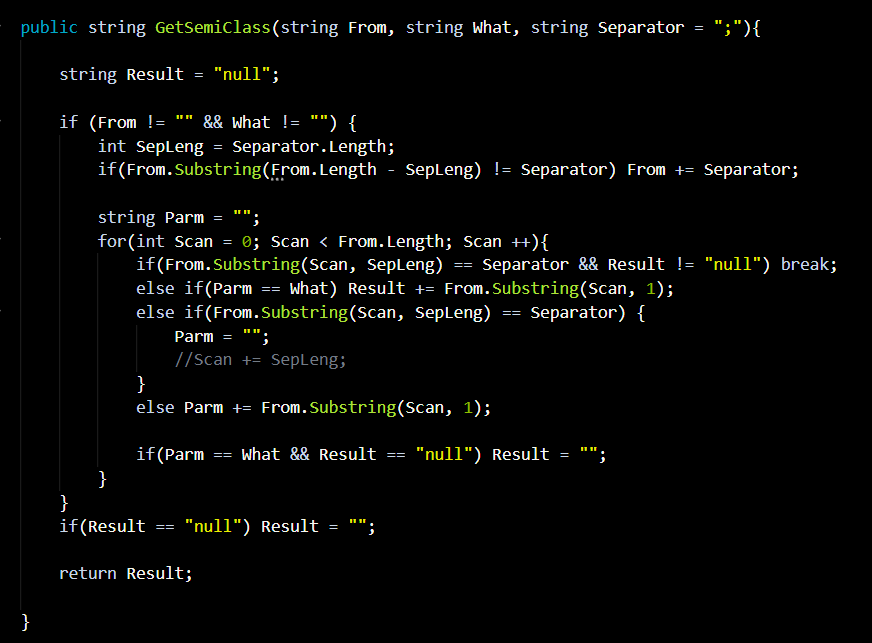
Sorry for any brain hemorrhages this code might have caused
For those who don’t know much about programming, anytime any SemiClass function is called:
- A loop is called, whose amount of steps is equal to the amount of characters in the target string
- Each subsequent character is added to a temporary string variable, and then an if statement checks, if the temporary string is the same as the “what” parameter
- If the condition above is not met, and the loop meets a semicolon, the temporary string is reset
Aside from a lot of loop steps and if statements, the returned data is in a form of string value. If we want to use the returned value in other forms (int, double, float), it has to be parsed, which requires a lot of computing power. And don’t get me even started, on how the SetSemiClass function works (it has it’s own, ingenious solutions).
In all fairness, if the target strings aren’t too long, and the queries are used as rarely as possible, this system isn’t that bad. The recent tests have shown though, that with more SemiClasses in use at one time, the optimization quickly plummets down to an unacceptable levels.
This has forced me, to come up with a better, more kosher solution: JClasses:
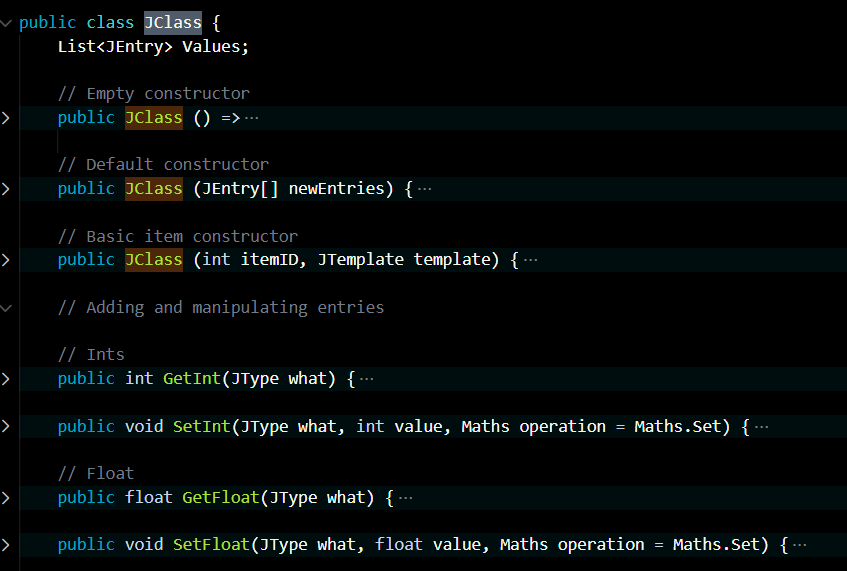
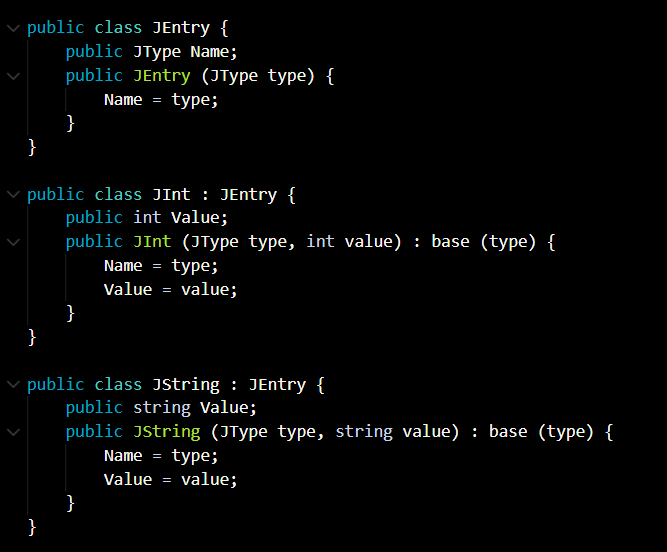
The idea behind JClasses is the same – it’s an object, containing a list of objects, which are made of two components: a key, and a value. This time however – instead of being stored in a string – they are based of the JClass class, while the objects in the list are based of the JEntry class (or the classes inheriting from it).
The JEntries themselves are made of two components:
- JType Name – an enumerator, which serves as an identifying key. Since it’s an enumerator, it has an advantage of being as lightweight as an int, while also being easy to read during coding
- Value – a field containing object’s value. JEntry itself does not have a Value, but other classes that inherit from JEntry do have values, like: JInt, JString, JFloat, Jlist. This basically gets rid of any need for parsing, and takes way less space
As of writing this log, the system hasn’t been fully implemented yet (as there are a lot of SemiClass uses in the code). But once that’s done, the difference in performance between the new and old system will be like day and night!
Still, perhaps it isn’t the best possible system one could come up with in this situation… but it works, smoothly!
7.2 New phantom mutants
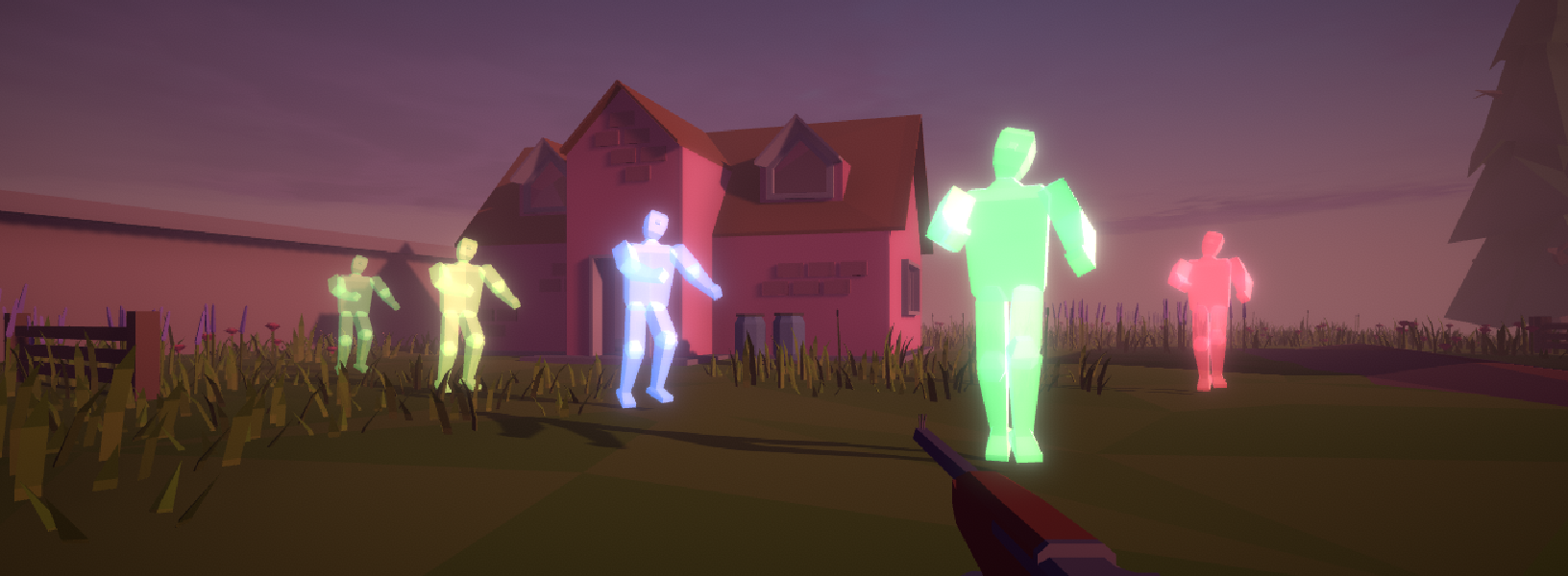
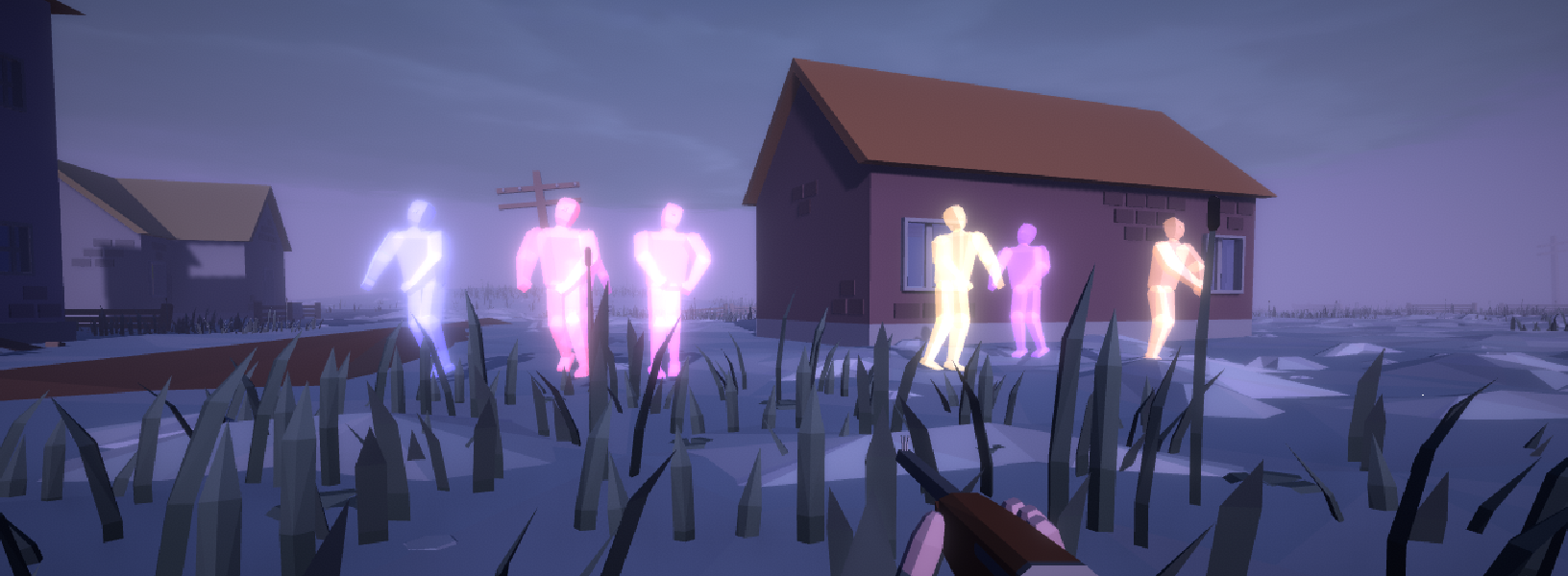
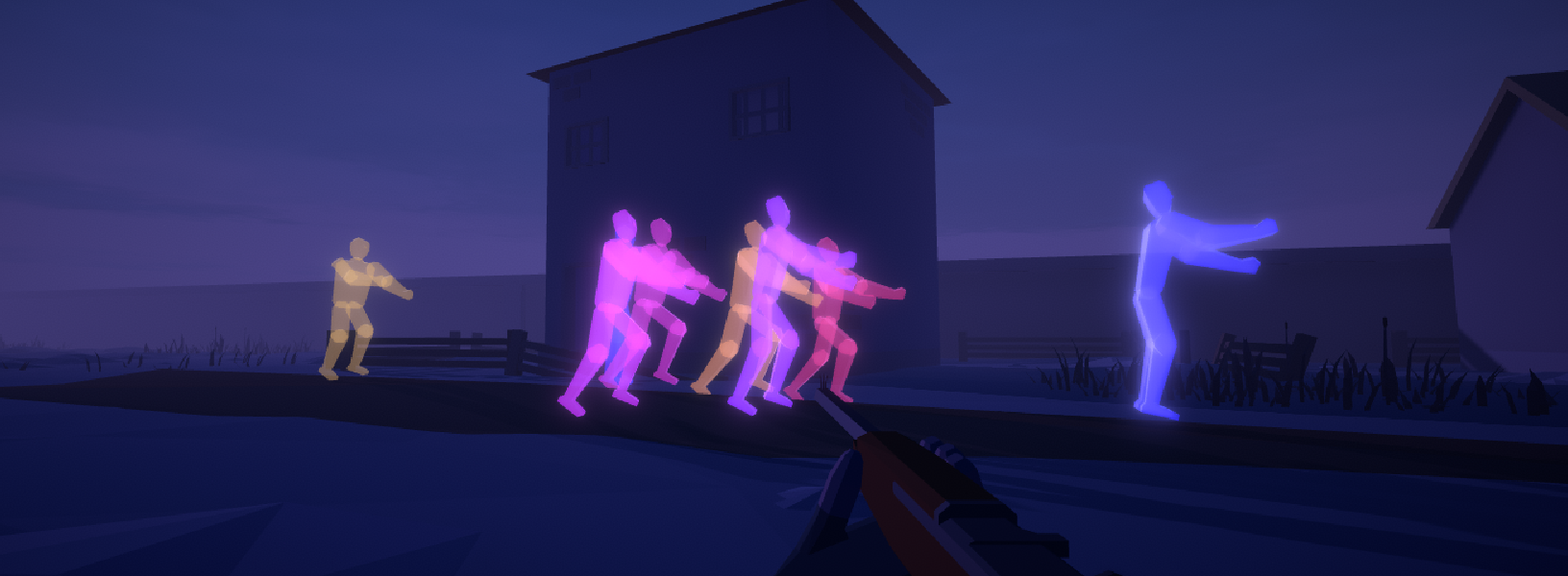
The look of phantom mutants has changed; those are the invisible ones. Previously, they would simply leave a blue mist behind them, but that still made them a bit to hard to spot.
Instead of leaving this blue mist, now they are translucent and glowing, with their visibility changing depending on their distance to players.
7.3 Tweaks’n’stuff
There were a lot of core tweaks, code improvements, and bug fixes! Don’t wanna bother explaining this.
Well, maybe the only thing worth mentioning here, is that I’ve added midair control. After leaving the ground (by either jumping, falling off of something, or getting blasted into air), player’s velocity is still inherited. But once any movement input is to be detected, the velocity will be redirected to the movement direction, albeit with huge inertia.
This addition will help players jump over small obstacles, adjust the falling destination, or even jumping through windows.
Summary
There’s not much more to add here; after the small hiatus, the development is once again going slowly but steadily. Although, my college work is once again starting to pick up the pace, so we’re yet to see how it affects the process.
For now, that’s all, the next post should appear somewhere before Christmas.
Thank you for reading, I’ll come back in a month… with the first public playable test of the new content!
Comments
Log in with itch.io to leave a comment.
Apparently the gifs aren't working. Here's link to an X post with all the four gifs working correctly.